Support By : +91 63927 02800

Insight & Strategy

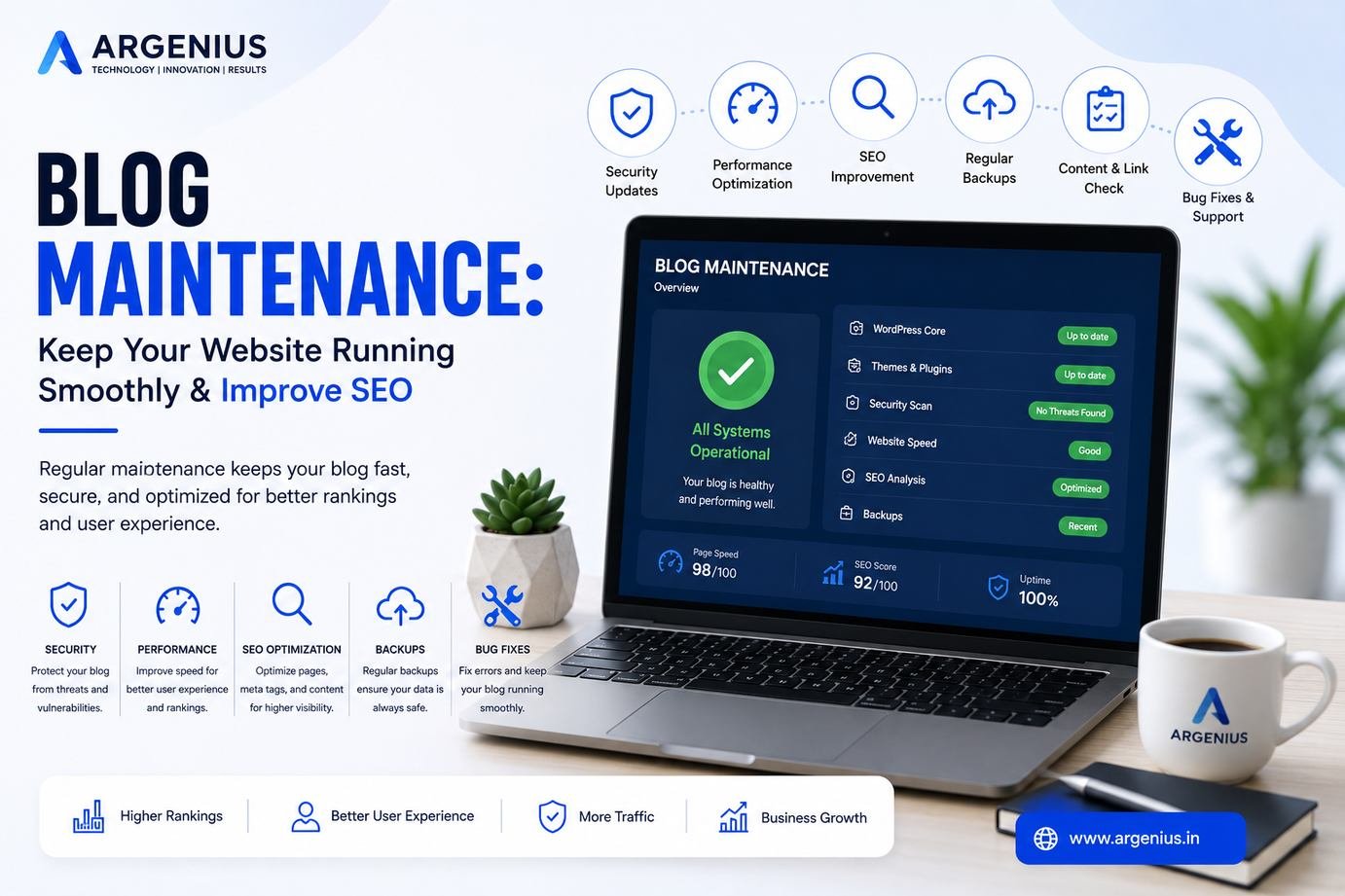
Blog Maintenance: Keep Your Website Running Smoothly & Improve SEO

Have questions about this topic or want to discuss how it applies to your product? Tell us about your idea and we'll get back with a plan.

Blog Maintenance: Keep Your Website Running Smoothly & Improve SEO
  • By Pooja
  • Aug 11, 2026
  • SEO

Blog Maintenance: Keep Your Website Running Smoothly & Improve SEO

Discover the essential blog maintenance tasks that keep your website fast, secure, SEO-friendly, and running smoothly while improving user experience and long-term rankings.

Introduction

Publishing a blog is only the beginning. Without regular Blog Maintenance, even the best websites gradually lose traffic, rankings, speed, and security. Outdated content, broken links, slow loading pages, plugin conflicts, and security vulnerabilities can negatively impact both user experience and SEO.

A well-maintained blog loads faster, ranks better, remains secure, and provides a better experience for visitors. Regular maintenance also prevents costly technical issues and ensures your website continues generating traffic and leads.

In this guide, you'll learn the essential Blog Maintenance tasks every website owner should perform to keep their blog running smoothly and performing at its best.

At Argenius, we help businesses maintain high-performance websites through technical SEO, website optimization, security updates, and ongoing maintenance services.


Why Blog Maintenance is Important

Regular maintenance helps you:

  • Improve SEO Rankings
  • Increase Website Speed
  • Prevent Security Issues
  • Reduce Website Downtime
  • Improve User Experience
  • Keep Content Updated
  • Fix Technical SEO Errors
  • Improve Core Web Vitals
  • Increase Organic Traffic
  • Generate More Leads

A website that is maintained regularly performs significantly better than one that is left untouched for months.


Complete Blog Maintenance Checklist

1. Update Old Blog Content

Review articles every 3–6 months.

Update:

  • Statistics
  • Examples
  • Screenshots
  • FAQs
  • Internal Links
  • External Links
  • Keywords
  • Meta Description
  • CTA
  • Images

Fresh content performs better in search results.


2. Fix Broken Links

Broken links create poor user experience.

Regularly check:

  • Internal Links
  • External Links
  • Image Links
  • Download Links
  • Redirect Chains

Use 301 redirects whenever necessary.


3. Improve Website Speed

Fast websites rank better.

Optimize:

  • Images (WebP/AVIF)
  • CSS
  • JavaScript
  • Lazy Loading
  • Browser Cache
  • Database
  • CDN
  • Fonts

Aim for:

  • LCP below 2.5s
  • CLS below 0.1
  • INP below 200ms

4. Update Plugins & Themes

Outdated plugins are one of the biggest security risks.

Regularly update:

  • WordPress Core
  • Themes
  • Plugins
  • PHP Version
  • Laravel Packages
  • JavaScript Libraries

Always take a backup before updating.


5. Check Website Security

Perform regular security checks.

Review:

  • SSL Certificate
  • Malware
  • Login Attempts
  • Admin Users
  • File Permissions
  • Security Headers
  • Firewall
  • Backups

Security should never be ignored.


6. Optimize Images

Large images slow down your website.

Best practices:

  • Compress Images
  • Use WebP
  • Add Alt Text
  • Lazy Load Images
  • Proper Dimensions
  • Remove Unused Images

7. Audit Technical SEO

Check every month:

  • Sitemap
  • Robots.txt
  • Canonical URLs
  • Index Coverage
  • Structured Data
  • Meta Tags
  • Redirects
  • Crawl Errors
  • Mobile Usability

Technical SEO directly affects rankings.


8. Improve Internal Linking

Every new article should connect with older articles.

Benefits:

  • Better Crawling
  • Higher Page Authority
  • Lower Bounce Rate
  • Better User Journey
  • Improved SEO

Aim for 5–10 relevant internal links per article.


9. Remove Thin Content

Delete, merge, or improve articles with:

  • Low Traffic
  • Duplicate Information
  • Outdated Content
  • Very Short Articles
  • Low Search Value

Quality always beats quantity.


10. Backup Your Website

Maintain automatic backups:

  • Daily Database Backup
  • Weekly Full Backup
  • Cloud Storage
  • Local Backup
  • Restore Testing

Never update your website without a backup.


11. Monitor Google Search Console

Check weekly for:

  • Coverage Errors
  • Core Web Vitals
  • Mobile Issues
  • Manual Actions
  • Sitemap Errors
  • Indexing Problems

Fix issues as soon as possible.


12. Monitor Google Analytics

Track:

  • Organic Traffic
  • Bounce Rate
  • User Engagement
  • Top Pages
  • Conversion Rate
  • Exit Pages

Use data to improve future content.


Monthly Blog Maintenance Checklist

Task Frequency
Content Audit Monthly
Plugin Updates Weekly
Security Scan Weekly
Backup Daily
Broken Link Check Monthly
Speed Test Monthly
SEO Audit Monthly
Image Optimization Monthly
Analytics Review Weekly
Search Console Review Weekly

Blog Maintenance Tools

Useful tools include:

  • Google Search Console
  • Google Analytics
  • PageSpeed Insights
  • GTmetrix
  • Screaming Frog SEO Spider
  • Ahrefs
  • SEMrush
  • Cloudflare
  • UpdraftPlus
  • Wordfence

Common Maintenance Mistakes

Avoid these mistakes:

  • Ignoring plugin updates
  • Never taking backups
  • Publishing without updating old posts
  • Broken internal links
  • Slow images
  • No security monitoring
  • Duplicate content
  • Ignoring Search Console errors
  • Poor mobile optimization
  • No technical SEO audits

Cost of Professional Blog Maintenance (₹ INR)

Service Estimated Cost
Basic Website Maintenance ₹5,000 – ₹10,000/month
WordPress Maintenance ₹8,000 – ₹20,000/month
SEO Maintenance ₹10,000 – ₹30,000/month
Complete Website Maintenance ₹20,000 – ₹60,000/month
Enterprise Maintenance ₹75,000 – ₹2,50,000+/month

Why Businesses Choose Argenius

At Argenius, we provide complete website maintenance services to ensure your blog stays secure, fast, and optimized for search engines.

Our services include:

  • Website Maintenance
  • WordPress Maintenance
  • Laravel Maintenance
  • Technical SEO
  • Speed Optimization
  • Security Monitoring
  • Backup Management
  • Core Web Vitals Optimization
  • Content Updates
  • Performance Monitoring

Final Thoughts

Blog Maintenance isn't a one-time task—it's an ongoing process that keeps your website healthy, secure, and competitive. Regular updates, technical SEO checks, speed optimization, backups, and security monitoring help prevent issues before they affect your rankings or users.

By following a consistent maintenance routine, you can improve website performance, protect your content, and maximize long-term organic growth. Whether you manage a personal blog or a business website, investing in regular maintenance ensures your site continues to deliver value for both users and search engines.


FAQs

How often should I maintain my blog?

Basic maintenance should be performed every week, while a complete SEO and technical audit should be conducted at least once a month.

Does blog maintenance improve SEO?

Yes. Regular maintenance helps improve website speed, fix technical issues, update outdated content, and enhance user experience, all of which support better SEO performance.

What is the most important maintenance task?

Regular backups, security updates, plugin updates, and fixing technical SEO issues are among the most critical maintenance tasks.

How often should I update old blog posts?

Review evergreen articles every 3–6 months or sooner if industry trends, statistics, or products change.

Can Argenius maintain my website?

Yes. Argenius provides complete website maintenance, technical SEO, WordPress maintenance, Laravel maintenance, speed optimization, security monitoring, and ongoing support to keep your website performing at its best.