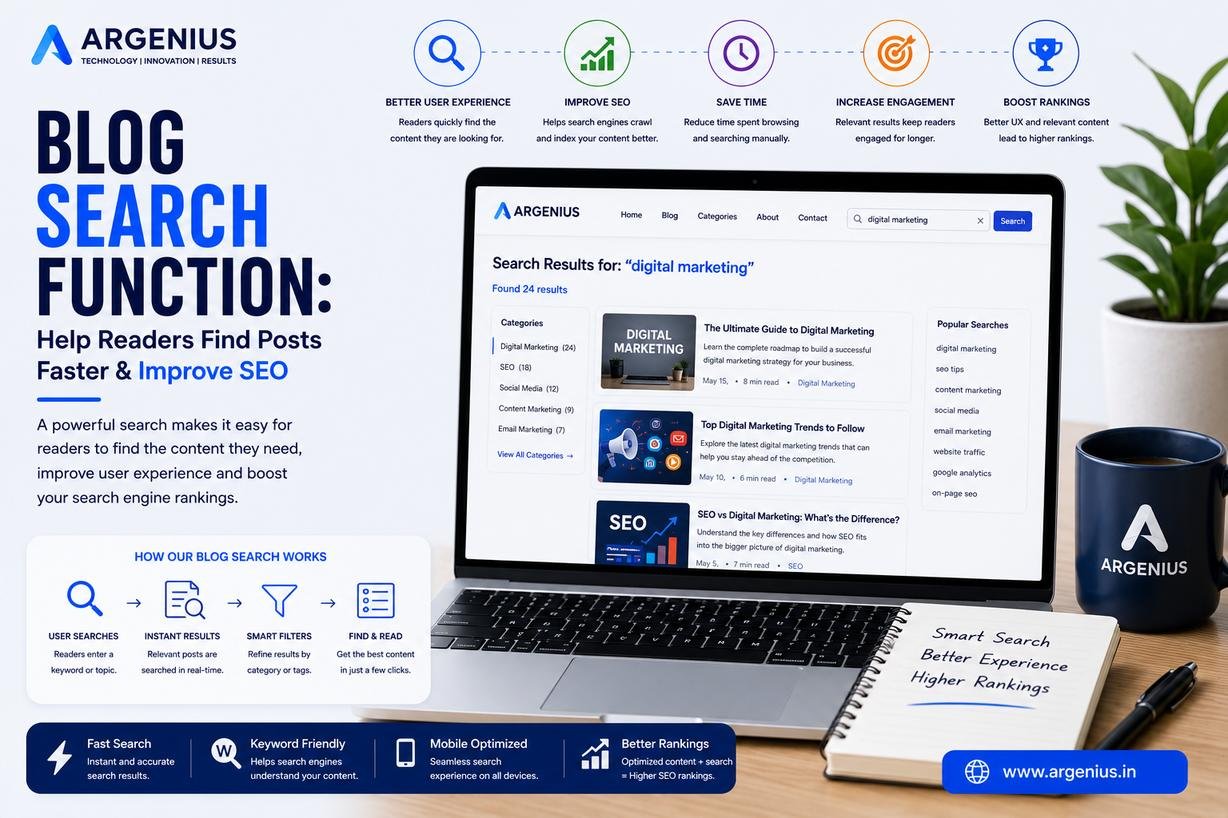
Discover how an optimized blog search function improves SEO, user experience, content discovery, and reader engagement while helping visitors quickly find relevant blog posts.
Introduction
As your blog grows, finding the right article becomes increasingly difficult for visitors. Even if you publish high-quality content regularly, readers may leave your website if they cannot quickly locate the information they need. This is where a blog search function becomes one of the most valuable features for improving both user experience and SEO.
A powerful search feature allows visitors to search for topics, keywords, tutorials, guides, or specific blog posts within seconds. Instead of navigating through multiple categories or archive pages, users can instantly access the content that matches their intent. This improves engagement, increases page views, reduces bounce rates, and encourages visitors to spend more time exploring your website.
An effective blog search function does more than display results. Modern search systems include features such as keyword suggestions, autocomplete, search filters, relevance-based sorting, typo correction, and mobile-friendly search interfaces. These enhancements make content discovery faster and more intuitive.
From an SEO perspective, a well-organized internal search experience supports better website navigation, strengthens content discovery, and helps users interact with more pages during a session. Although internal search pages should generally not be indexed, the insights gained from user searches can help identify popular topics, content gaps, and future keyword opportunities.
Whether you manage a business website, educational platform, technology blog, news portal, or eCommerce website, adding a reliable search function creates a smoother browsing experience and helps visitors quickly find the answers they are looking for.
In this comprehensive guide, you'll learn how to build an effective blog search function, optimize it for SEO, improve content discovery, and create a better user experience that supports long-term organic growth.
At Argenius, we develop SEO-friendly websites with intelligent search functionality that improves usability, enhances visitor engagement, and helps businesses convert more traffic into leads.
What is a Blog Search Function?
A blog search function is an internal website feature that allows visitors to search for blog posts using keywords or phrases.
It helps users quickly locate relevant content without manually browsing categories or archives.
A typical blog search system includes:
- Search Bar
- Keyword Matching
- Search Suggestions
- Autocomplete
- Search Filters
- Relevant Results
- Popular Searches
- Recent Searches
- Mobile Search
- Fast Search Results
The objective is to make content easy to discover.
Why Blog Search Matters
Visitors expect websites to provide quick and accurate search results.
An effective search function helps:
- Improve User Experience
- Increase Content Discovery
- Reduce Bounce Rate
- Increase Time on Site
- Improve Reader Satisfaction
- Strengthen Internal Navigation
- Increase Page Views
- Generate More Leads
- Improve Website Usability
- Support Long-Term SEO
Helping users find answers faster improves both engagement and conversions.
Benefits of an Optimized Blog Search
Adding a smart search feature provides several long-term advantages.
Benefits include:
- Better User Experience
- Faster Content Discovery
- Increased Reader Engagement
- Higher Page Views
- Better Website Navigation
- Reduced Exit Rate
- Improved Mobile Experience
- Better Content Accessibility
- Higher Customer Satisfaction
- Long-Term Business Growth
An optimized search experience encourages visitors to explore more of your website.
Essential Features of a Good Blog Search Function
Every high-performing search system should include:
Keyword Search
Allows visitors to search using words or phrases.
Autocomplete
Displays suggested queries while users type.
Search Filters
Help narrow results by category, topic, author, or date.
Relevant Results
Prioritize the most useful content based on user intent.
Typo Correction
Recognizes common spelling mistakes.
Mobile-Friendly Search
Provides a smooth experience on smartphones and tablets.
Search Analytics
Tracks what visitors search for.
Fast Loading
Returns search results almost instantly.
Search Highlighting
Highlights matching keywords within results.
No-Results Suggestions
Displays related articles when exact matches are unavailable.
Why Search Improves User Experience
Visitors appreciate websites that make information easy to find.
Search functionality helps:
- Save Time
- Reduce Frustration
- Improve Navigation
- Increase Reader Confidence
- Encourage Content Exploration
- Improve Accessibility
- Simplify Large Websites
- Increase Engagement
- Support Customer Decision-Making
- Improve Website Satisfaction
A fast and accurate search experience keeps users engaged for longer.
Common Blog Search Mistakes
Avoid these common issues:
- Slow Search Results
- Poor Keyword Matching
- No Autocomplete
- Missing Filters
- Broken Search
- Poor Mobile Experience
- Irrelevant Results
- No Search Analytics
- Hidden Search Bar
- Weak Search Interface
A poor search experience often causes visitors to leave the website.
Step-by-Step Framework for Optimizing Your Blog Search Function
A powerful search feature helps readers find relevant content quickly while improving engagement and website usability.
Follow this proven framework:
- Add a Visible Search Bar
- Enable Keyword-Based Search
- Implement Autocomplete Suggestions
- Add Search Filters
- Display Relevant Search Results
- Optimize Search Speed
- Track Search Analytics
- Improve Mobile Search Experience
- Add Related Content Suggestions
- Continuously Improve Search Based on User Behavior
A well-designed search system ensures visitors spend less time searching and more time engaging with your content.
Creating an Effective Search Interface
The design of your search feature directly impacts user experience.
Best practices include:
- Place the search bar in the header.
- Make the search box easy to identify.
- Use a clear search icon.
- Display placeholder text like "Search articles..."
- Support full-width search on mobile devices.
- Show instant search suggestions.
- Highlight matching keywords.
- Keep the interface clean and distraction-free.
A simple and intuitive search interface encourages visitors to use it frequently.
Search Filters for Better Content Discovery
Filters help users narrow down large amounts of content.
Useful search filters include:
- Categories
- Tags
- Author
- Publication Date
- Popular Articles
- Recently Updated Posts
- Tutorials
- News
- Case Studies
- Resources
Search filters improve content discovery, especially on websites with hundreds of articles.
Search Analytics & User Behavior
Internal search data reveals exactly what visitors are looking for.
Monitor:
- Most Searched Keywords
- No-Result Searches
- Popular Search Queries
- Search Click-Through Rate
- Search Exit Rate
- Search Conversion Rate
- Search Usage
- Search Sessions
- Frequently Viewed Articles
- Content Gaps
Analyzing search behavior helps identify opportunities for creating new content and improving existing articles.
SEO Optimization for Blog Search
While internal search results themselves are generally not intended to rank in search engines, your search experience should still support your overall SEO strategy.
Optimize by:
- Keeping search pages out of search indexes when appropriate.
- Improving internal linking from search results.
- Displaying relevant content first.
- Using descriptive article titles.
- Organizing content into clear categories.
- Optimizing blog post metadata.
- Reducing duplicate search result pages.
- Improving page loading speed.
- Using structured navigation.
- Maintaining clean URLs.
An optimized search experience improves usability and helps visitors discover more of your content.
AI Search Optimization
Modern AI-powered search systems value websites with organized content and strong internal relevance.
Improve AI visibility by:
- Using descriptive article titles.
- Publishing comprehensive content.
- Creating logical content categories.
- Building topic clusters.
- Adding FAQ sections.
- Maintaining strong internal linking.
- Updating evergreen articles regularly.
- Keeping metadata accurate.
These practices improve visibility across Google AI Overviews, ChatGPT, Gemini, and Perplexity.
Measuring Search Performance
Track these metrics to evaluate the effectiveness of your blog search feature.
Monitor:
- Search Usage Rate
- Average Search Response Time
- Search Success Rate
- Pages per Search Session
- Bounce Rate After Search
- Click-Through Rate
- Average Session Duration
- Returning Visitors
- Conversion Rate
- Organic Traffic Growth
Regular analysis helps improve search accuracy and user satisfaction.
Cost of Professional Blog Search Integration (₹ INR)
| Service |
Estimated Cost |
| Basic Search Integration |
₹5,000 – ₹12,000 |
| Advanced Search with Filters |
₹10,000 – ₹25,000 |
| Autocomplete & Smart Search |
₹15,000 – ₹40,000 |
| Custom Search Development |
₹25,000 – ₹80,000 |
| Enterprise Search Solution |
₹50,000 – ₹3,00,000+ |
Factors Affecting Cost
The overall investment depends on:
- Website Size
- Number of Blog Posts
- Search Features
- Search Filters
- AI Search Capabilities
- Platform (WordPress, Laravel, Custom CMS)
- Performance Requirements
- Ongoing Maintenance
A professionally developed search function improves user experience and increases the value of your existing content.
Best Practices
Follow these best practices for an effective blog search function:
- Place the search bar in a prominent location.
- Use autocomplete and keyword suggestions.
- Display the most relevant results first.
- Provide category and tag filters.
- Optimize search speed.
- Monitor search analytics regularly.
- Offer related article suggestions.
- Ensure mobile responsiveness.
- Improve content organization.
- Update the search index whenever new content is published.
These practices create a faster, more intuitive experience for readers.
Common Mistakes to Avoid
Avoid these common blog search mistakes:
- Hiding the search bar
- Returning irrelevant results
- Ignoring mobile users
- Slow search performance
- No autocomplete feature
- Missing search filters
- No tracking of search queries
- Poor content organization
- Broken search functionality
- Never reviewing search data
Fixing these issues helps users find information quickly and improves overall website usability.
Future Trends in Blog Search
Search technology is becoming smarter with advancements in artificial intelligence.
Emerging trends include:
- AI-Powered Semantic Search
- Voice Search Integration
- Personalized Search Results
- Predictive Search Suggestions
- Natural Language Search
- Visual Search
- Intelligent Content Recommendations
- Real-Time Search Analytics
- Context-Aware Search
- AI-Based Content Discovery
Businesses that adopt these innovations will provide faster, more relevant experiences for their visitors.
Why Businesses Choose Argenius
At Argenius, we build intelligent website search solutions that improve user experience, increase engagement, and help businesses maximize the value of their content.
Our services include:
- Custom Website Development
- WordPress Development
- Laravel Development
- Website Search Integration
- SEO Optimization
- Technical SEO
- Content Strategy
- Performance Optimization
- UI/UX Design
- Digital Marketing
We create fast, user-friendly websites designed to improve search visibility, increase conversions, and support long-term business growth.
Final Thoughts
A well-designed blog search function is an essential feature for any growing website. As your content library expands, visitors need a fast and reliable way to locate the information they need. Features such as autocomplete, intelligent search results, filters, and mobile optimization significantly improve the browsing experience while increasing engagement and page views.
Beyond improving user satisfaction, internal search data provides valuable insights into visitor behavior, helping you identify popular topics, content gaps, and future publishing opportunities. Combined with strong content organization and SEO best practices, an effective search function becomes a powerful tool for driving long-term growth. At Argenius, we help businesses build intelligent search experiences that make content easier to discover while supporting higher engagement, better usability, and sustainable organic growth.
Frequently Asked Questions
What is a blog search function?
A blog search function is an internal website feature that allows visitors to search for blog posts using keywords, helping them quickly find relevant content.
Why is a blog search function important?
It improves user experience, reduces bounce rates, increases page views, and makes it easier for readers to discover valuable content.
Should search result pages be indexed by search engines?
In most cases, internal search result pages should not be indexed because they often generate duplicate or low-value content. Focus on optimizing the individual blog posts instead.
What features should a good blog search include?
A quality search system should provide autocomplete, keyword matching, filters, fast performance, mobile responsiveness, typo correction, and relevant search results.
How can search analytics improve content strategy?
Search analytics reveal what visitors are looking for, helping you identify content gaps, optimize existing articles, and create new content that matches user intent.
Does Argenius provide custom website search solutions?
Yes. Argenius offers custom search integration, WordPress development, Laravel development, technical SEO, website development, and digital marketing services to build intelligent search experiences that improve usability and business performance.