Learn how to build a professional WordPress blog with the right setup, SEO optimization, performance improvements, and security best practices. This complete guide helps beginners and businesses create a fast, scalable, and search engine-friendly blogging website.
Introduction
WordPress has become the world's most popular content management system, powering millions of blogs, business websites, ecommerce stores, and news portals. Its flexibility, ease of use, and extensive plugin ecosystem make it the preferred choice for beginners and experienced website owners alike. If you want to build a blog that attracts organic traffic, ranks well on Google, and provides an excellent user experience, WordPress Blogging is one of the best solutions available.
However, installing WordPress is only the first step. Many blogs struggle because they ignore proper website setup, SEO optimization, performance improvements, and security best practices. A poorly configured blog may suffer from slow loading times, low search rankings, weak user engagement, and security vulnerabilities.
A successful WordPress blog requires careful planning from the beginning. Choosing the right hosting provider, installing an SEO-friendly theme, configuring essential plugins, optimizing images, improving website speed, and publishing high-quality content all contribute to long-term success. These factors not only improve search engine visibility but also create a better experience for visitors.
WordPress also offers thousands of plugins that simplify tasks such as SEO optimization, website backups, caching, security monitoring, analytics integration, and content management. When combined with a strong content marketing strategy, these tools help businesses build authority, generate leads, and increase conversions.
Whether you're starting a personal blog, a company blog, an affiliate marketing website, or a content-driven business, understanding how to properly set up and optimize WordPress will save time, improve website performance, and support sustainable growth.
In this comprehensive guide, you'll learn everything about WordPress Blogging, including setup, optimization techniques, SEO best practices, performance improvements, security recommendations, essential plugins, and strategies for building a successful blogging website.
At Argenius, we build high-performance WordPress websites that are optimized for speed, security, SEO, and long-term business growth.
What is WordPress Blogging?
WordPress Blogging refers to creating, managing, and publishing blog content using the WordPress Content Management System (CMS).
WordPress allows users to:
- Publish Blog Articles
- Manage Categories
- Organize Tags
- Upload Images
- Optimize SEO
- Install Plugins
- Customize Website Design
- Manage Multiple Authors
- Schedule Content
- Track Website Performance
Its flexibility makes it suitable for bloggers, businesses, agencies, educators, ecommerce stores, and publishers.
Why Choose WordPress for Blogging?
WordPress remains the preferred blogging platform because it combines simplicity with powerful features.
Major advantages include:
- Easy Content Management
- SEO Friendly Structure
- Thousands of Themes
- Extensive Plugin Library
- Mobile Responsive Design
- Fast Website Development
- Strong Community Support
- Flexible Customization
- Scalable Architecture
- Cost-Effective Solution
Whether you're publishing one article a week or hundreds each month, WordPress can scale with your needs.
How WordPress Blogging Works
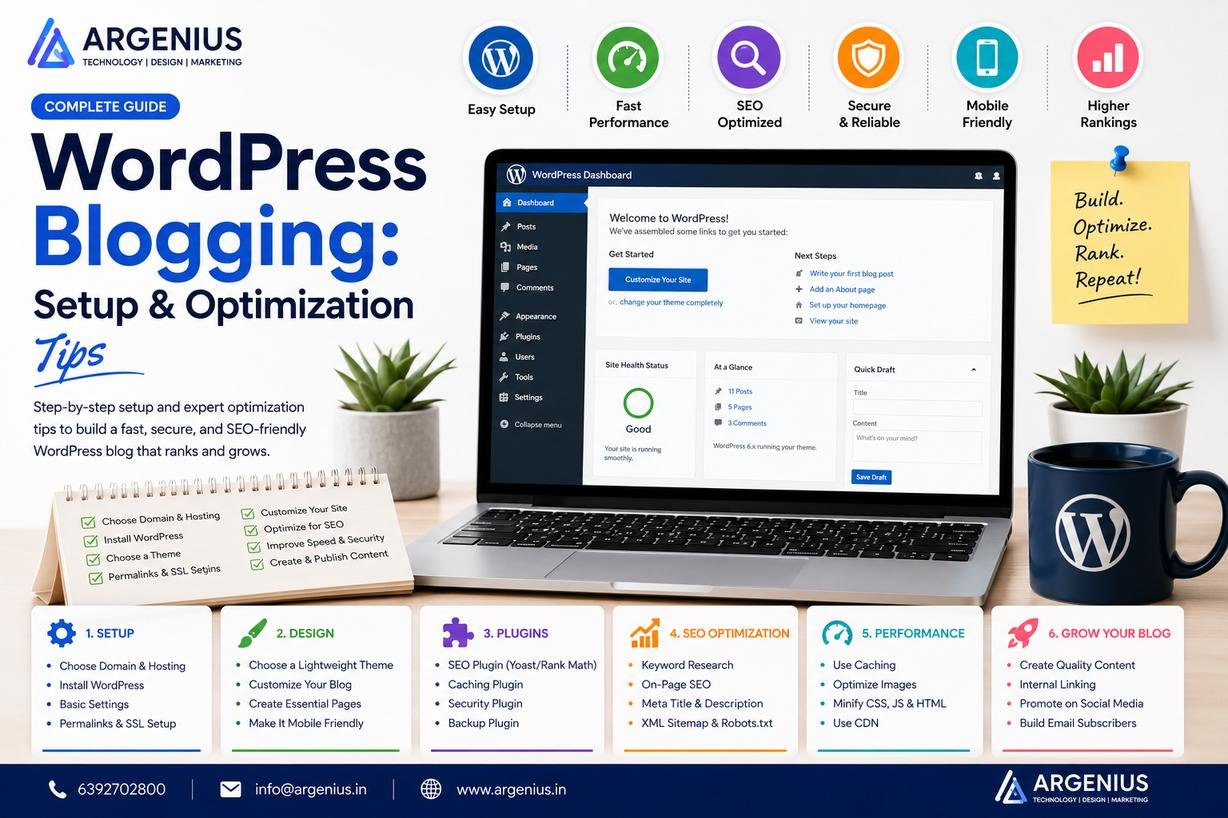
A successful WordPress blogging workflow includes:
- Purchase a domain name.
- Select reliable hosting.
- Install WordPress.
- Choose a professional theme.
- Configure essential settings.
- Install required plugins.
- Publish optimized content.
- Promote your articles.
- Monitor analytics.
- Improve website performance continuously.
Following a structured workflow helps build a professional and scalable blog.
Step 1: Choose Reliable WordPress Hosting
The performance of your blog depends heavily on hosting quality.
Look for hosting that offers:
- SSD Storage
- Free SSL Certificate
- Daily Backups
- Automatic Updates
- One-Click WordPress Installation
- Strong Security
- High Uptime
- 24/7 Technical Support
Reliable hosting improves speed, uptime, and SEO performance.
Step 2: Install WordPress
Most hosting providers allow one-click WordPress installation.
During setup:
- Choose Website Name
- Create Admin Account
- Configure SSL
- Select Default Language
- Update WordPress Version
After installation, remove unnecessary sample content and configure basic settings before publishing.
Step 3: Select an SEO-Friendly Theme
Your WordPress theme directly affects user experience and website performance.
Choose a theme that is:
- Lightweight
- Mobile Responsive
- Fast Loading
- SEO Friendly
- Regularly Updated
- Compatible with Popular Plugins
Avoid bloated themes with excessive features that slow down your website.
Step 4: Configure Essential WordPress Settings
Before writing your first article, configure important settings.
Review:
- Site Title
- Tagline
- Time Zone
- Permalink Structure
- Discussion Settings
- Reading Settings
- Media Settings
- User Roles
Proper configuration creates a strong foundation for SEO and usability.
Step 5: Install Essential WordPress Plugins
Plugins extend your website's functionality.
Essential plugin categories include:
- SEO
- Security
- Caching
- Image Optimization
- Backup
- Forms
- Analytics
- Performance Monitoring
Install only trusted plugins and keep them updated to maintain security and speed.
Benefits of WordPress Blogging
A professionally optimized WordPress blog offers:
- Better SEO Rankings
- Faster Website Speed
- Higher Organic Traffic
- Improved User Experience
- Easier Content Management
- Better Security
- Greater Flexibility
- Higher Conversion Rates
- Stronger Brand Authority
- Long-Term Business Growth
Common WordPress Blogging Mistakes
Avoid these common mistakes:
- Choosing Slow Hosting
- Installing Too Many Plugins
- Ignoring SEO
- Using Heavy Themes
- Weak Website Security
- No Backup Strategy
- Poor Image Optimization
- Slow Loading Pages
- Inconsistent Content Publishing
- Ignoring Analytics
These issues can negatively impact both user experience and search rankings.
Step 6: Optimize WordPress for SEO
A beautiful blog is not enough if people can't find it in search results. Proper WordPress SEO optimization helps your content rank higher, attract organic traffic, and generate consistent visitors without relying on paid advertising.
Optimize the following areas:
- SEO Titles
- Meta Descriptions
- Focus Keywords
- SEO-Friendly URLs
- Heading Structure
- Internal Linking
- Image Alt Text
- XML Sitemap
- Schema Markup
- Breadcrumb Navigation
A strong SEO foundation improves visibility across search engines and AI-powered search platforms.
Step 7: Improve Website Speed
Website speed directly affects user experience, search rankings, and conversions. Even a one-second delay can increase bounce rates and reduce engagement.
Improve performance by:
- Using SSD Hosting
- Enabling Page Caching
- Compressing Images
- Using a CDN
- Minifying CSS & JavaScript
- Enabling GZIP Compression
- Optimizing Database Tables
- Removing Unused Plugins
- Using Lazy Loading
- Updating PHP Regularly
A faster website keeps visitors engaged and improves SEO performance.
Step 8: Create an Effective Content Publishing Workflow
Consistency is one of the most important factors in successful blogging.
A recommended workflow:
- Perform Keyword Research
- Create an Article Outline
- Write High-Quality Content
- Optimize for SEO
- Add Images
- Review Grammar
- Publish the Article
- Share Across Social Media
- Monitor Performance
- Update Content Regularly
Following a workflow helps maintain quality and consistency.
Step 9: Optimize Images
Images improve readability but can slow down your website if not optimized.
Best practices include:
- Compress Images Before Uploading
- Use WebP Format
- Add Descriptive File Names
- Include Alt Text
- Use Responsive Images
- Enable Lazy Loading
- Avoid Oversized Images
- Optimize Featured Images
Optimized images improve page speed and accessibility.
Step 10: Strengthen Website Security
Every WordPress blog should have basic security measures in place.
Implement:
- SSL Certificate
- Strong Passwords
- Two-Factor Authentication
- Firewall Protection
- Malware Scanning
- Login Attempt Limits
- Automatic Backups
- Regular Plugin Updates
- User Permission Management
- Security Monitoring
Strong security protects your website, visitors, and search rankings.
Essential WordPress Plugins
Choose plugins carefully to avoid unnecessary website bloat.
SEO Plugins
- Rank Math SEO
- Yoast SEO
- All in One SEO
Performance Plugins
- WP Rocket
- LiteSpeed Cache
- W3 Total Cache
Security Plugins
- Wordfence Security
- Solid Security
- Sucuri Security
Backup Plugins
Image Optimization Plugins
Install only the plugins you actually need to maintain a fast and secure website.
Website Maintenance Checklist
Regular maintenance keeps your blog secure and performing at its best.
Weekly tasks:
- Update WordPress Core
- Update Plugins
- Update Themes
- Review Security Logs
- Check Website Speed
- Test Contact Forms
- Monitor Search Console
- Review Analytics
Monthly tasks:
- Optimize Database
- Check Broken Links
- Update Old Blog Posts
- Review Internal Links
- Perform Full Website Backup
Routine maintenance prevents technical issues before they become serious.
Best WordPress Blogging Tools
Free Tools
- Google Search Console
- Google Analytics 4
- Google PageSpeed Insights
- Google Trends
- Google Tag Manager
- Microsoft Clarity
Premium Tools
- Rank Math Pro
- Elementor Pro
- WP Rocket
- Ahrefs
- Semrush
- Surfer SEO
- Canva Pro
- Grammarly
- ShortPixel
- Cloudflare Pro
These tools help improve SEO, website performance, content quality, and user experience.
Cost of WordPress Blog Development (₹ INR)
| Service |
Estimated Cost |
| Domain Name |
₹800 – ₹2,000 / Year |
| Web Hosting |
₹3,000 – ₹15,000 / Year |
| Premium Theme |
₹3,000 – ₹8,000 |
| Premium Plugins |
₹3,000 – ₹15,000 / Year |
| Professional WordPress Blog Development |
₹30,000 – ₹2,00,000+ |
Factors Affecting Cost
Development costs depend on:
- Custom Design
- Website Features
- Plugin Requirements
- Hosting Quality
- SEO Optimization
- Security Features
- Content Migration
- Maintenance Requirements
Investing in a professionally built blog reduces technical issues and supports long-term growth.
Best Practices
For successful WordPress Blogging:
- Choose fast and reliable hosting.
- Use a lightweight theme.
- Install only essential plugins.
- Optimize every article for SEO.
- Compress images before uploading.
- Publish high-quality content consistently.
- Enable automatic backups.
- Monitor website speed regularly.
- Keep WordPress updated.
- Review analytics and improve continuously.
These practices help build a fast, secure, and search engine-friendly blog.
Common Mistakes to Avoid
Avoid these common WordPress blogging mistakes:
- Installing too many plugins
- Using poorly coded themes
- Ignoring SEO optimization
- Not creating backups
- Weak website security
- Publishing thin content
- Slow website speed
- No internal linking
- Ignoring mobile responsiveness
- Failing to update WordPress regularly
Correcting these issues improves both user experience and search visibility.
Future Trends in WordPress Blogging
WordPress continues to evolve with modern web technologies.
Emerging trends include:
- AI-Assisted Content Creation
- Google AI Overviews Optimization
- Headless WordPress
- Core Web Vitals Optimization
- Voice Search SEO
- Block-Based Website Design
- Interactive Content
- First-Party Data Strategies
- Advanced Schema Markup
- AI-Powered Personalization
Businesses that embrace these trends will remain competitive in search results.
Why Businesses Choose Argenius
At Argenius, we develop high-performance WordPress blogging websites designed for speed, scalability, SEO, and lead generation.
Our WordPress services include:
- Custom WordPress Development
- Professional Blog Setup
- Technical SEO
- Website Speed Optimization
- Security Configuration
- Content Strategy
- Plugin Configuration
- Performance Monitoring
- Website Maintenance
- Ongoing SEO Support
We focus on creating WordPress websites that not only look professional but also deliver measurable business results.
Final Thoughts
A successful WordPress blog is built on much more than attractive design. It requires reliable hosting, a clean and responsive theme, strong security, fast loading speeds, effective SEO, and valuable content that solves real user problems.
By following a structured setup process, optimizing your website for search engines, maintaining strong security, and publishing high-quality content consistently, you can create a blog that attracts organic traffic, builds authority, and supports long-term business growth. Whether you're building a personal blog, company website, or content marketing platform, WordPress provides the flexibility and scalability needed to succeed. Argenius helps businesses build professional WordPress blogs that deliver excellent performance, user experience, and measurable results.
Frequently Asked Questions
Why is WordPress the best platform for blogging?
WordPress is popular because it is easy to use, highly customizable, SEO-friendly, scalable, and supported by thousands of themes and plugins.
Which SEO plugin is best for WordPress?
Popular options include Rank Math SEO, Yoast SEO, and All in One SEO. The right choice depends on your workflow and feature requirements.
How can I make my WordPress blog faster?
Use quality hosting, enable caching, compress images, minimize unnecessary plugins, optimize your database, and use a Content Delivery Network (CDN).
How often should I update WordPress?
Update the WordPress core, themes, and plugins as soon as stable updates become available to maintain security, compatibility, and performance.
Is WordPress good for SEO?
Yes. WordPress provides clean code, customizable URLs, powerful SEO plugins, schema support, and excellent content management capabilities that help improve search rankings.
Does Argenius provide WordPress development services?
Yes. Argenius offers complete WordPress website development, blog setup, technical SEO, website speed optimization, security configuration, maintenance, and performance optimization services.