Accessibility in web design ensures everyone can use your website regardless of their abilities. Learn practical accessibility best practices to improve user experience, SEO, and inclusivity.
Why Website Accessibility Matters More Than Ever
The internet has become an essential part of daily life. People use websites to shop, learn, communicate, book appointments, apply for jobs, and access important services. However, not every visitor experiences a website in the same way. Some users rely on screen readers, some navigate using only a keyboard, while others may have limited vision, hearing, or motor abilities.
Website accessibility ensures that every visitor, regardless of their abilities, can access information and interact with your website without unnecessary barriers. An accessible website is not only helpful for people with disabilities but also improves usability for everyone.
At Argenius, we believe great web design should be inclusive from the beginning rather than treated as an afterthought. Designing for accessibility creates better experiences, strengthens your brand reputation, and often improves SEO and overall website performance.
What Is Accessibility in Web Design?
Accessibility in web design means creating websites that everyone can use, regardless of physical, visual, hearing, cognitive, or motor limitations.
An accessible website allows users to:
- Read content comfortably
- Navigate without confusion
- Complete forms independently
- Understand images through descriptions
- Access information using assistive technologies
- Browse the website on different devices
The goal is to remove barriers that prevent users from accessing your content or services.
Why Accessibility Benefits Every Business
Many businesses assume accessibility only benefits a small group of users. In reality, accessible design improves the experience for all visitors.
Clear navigation, readable fonts, logical layouts, and responsive design help everyone—not just users with disabilities.
Accessibility also offers business advantages such as:
- Better user experience
- Increased customer trust
- Improved search visibility
- Wider audience reach
- Better website usability
- Lower bounce rates
Making your website accessible demonstrates that your business values every customer equally.
Follow WCAG Guidelines
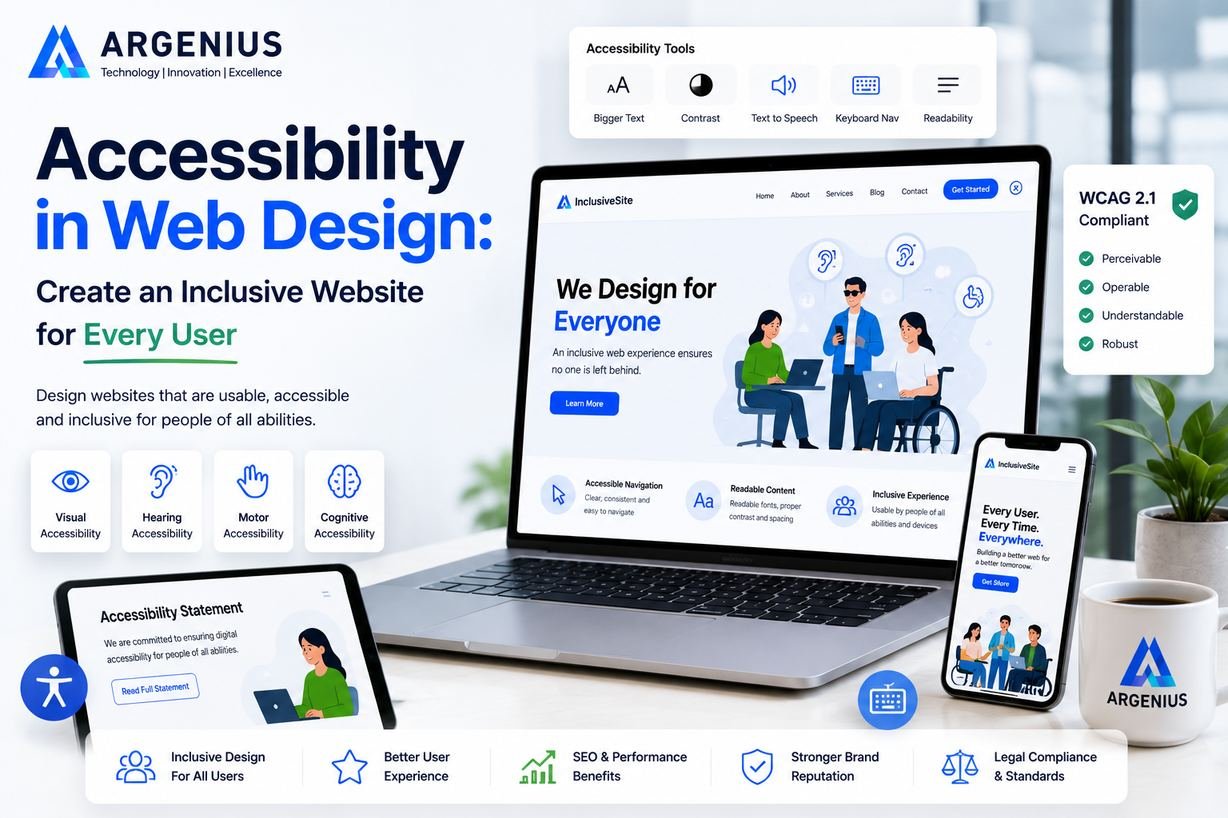
Most accessibility best practices are based on the Web Content Accessibility Guidelines (WCAG). These internationally recognized recommendations help developers create websites that are easier for everyone to use.
The four core principles are:
- Perceivable – Information should be easy to see or hear.
- Operable – Users should be able to navigate the website using different input methods.
- Understandable – Content and navigation should be simple and predictable.
- Robust – The website should work with different browsers and assistive technologies.
Following these principles creates a solid foundation for accessibility.
Use Clear and Readable Typography
Text is one of the most important elements of any website.
Good typography improves readability by using:
- Easy-to-read fonts
- Appropriate font sizes
- Comfortable line spacing
- Clear paragraph structure
- Strong color contrast
Avoid decorative fonts for body text because they can reduce readability.
Choose Colors with Sufficient Contrast
Color combinations should make text easy to read.
Poor contrast between text and backgrounds creates difficulties for many users, especially those with low vision.
Good accessibility includes:
- Dark text on light backgrounds
- Light text on dark backgrounds
- Clearly visible buttons
- Consistent color usage
Never rely on color alone to communicate important information.
Add Descriptive Alt Text to Images
Images should always include meaningful alternative text.
Alt text helps screen readers describe images to visually impaired users while also improving accessibility and SEO.
Instead of writing:
"Image1.jpg"
Use descriptions such as:
"Business team discussing website design during a project meeting."
Good alt text explains the purpose of the image rather than listing unnecessary details.
Make Navigation Keyboard Friendly
Not every visitor uses a mouse.
Many people navigate websites using only a keyboard.
Visitors should be able to:
- Open menus
- Move between links
- Submit forms
- Access buttons
using keyboard controls alone.
Keyboard accessibility significantly improves usability.
Write Clear Link Text
Instead of generic links such as:
Use descriptive text like:
- View Website Development Services
- Read Our UX Design Guide
- Contact the Argenius Team
Meaningful links improve navigation for both users and assistive technologies.
Design Accessible Forms
Forms are one of the most common places where users experience frustration.
Accessible forms should include:
- Clear labels
- Helpful instructions
- Visible error messages
- Logical field order
- Large clickable elements
Avoid relying only on placeholder text because it disappears once users begin typing.
Ensure Mobile Accessibility
Accessibility and responsive design work together.
Your website should remain easy to use across:
- Smartphones
- Tablets
- Laptops
- Desktop computers
Touch targets should be large enough for comfortable interaction, and content should remain readable without zooming.
Use Proper Heading Structure
Well-organized headings help visitors understand page structure.
Since your hero section already contains the H1, blog content should use:
- H2 for main sections
- H3 for supporting topics
A logical heading hierarchy improves both accessibility and SEO.
Test Your Website Regularly
Accessibility should not be checked only once.
Regular testing helps identify issues before they affect users.
Testing should include:
- Screen readers
- Keyboard navigation
- Mobile devices
- Different browsers
- Color contrast
- Form usability
Continuous improvements create better experiences over time.
Common Accessibility Mistakes
Many websites unintentionally create accessibility barriers.
Avoid these mistakes:
- Missing alt text
- Poor color contrast
- Tiny fonts
- Unlabeled forms
- Keyboard traps
- Inconsistent navigation
- Auto-playing media
- Flashing animations
- Complex layouts
Correcting these issues improves usability for everyone.
Accessibility Improves SEO Too
Many accessibility improvements also support search engine optimization.
For example:
- Proper heading structure
- Image alt text
- Faster loading pages
- Better mobile usability
- Logical navigation
- Clean HTML structure
Search engines reward websites that provide better user experiences.
Accessibility and SEO often work together rather than separately.
Why Businesses Choose Argenius
At Argenius, accessibility is integrated into our website development process from the very beginning. We build websites that are responsive, user-friendly, SEO-ready, and designed to serve a diverse audience. Our team follows modern development standards, accessibility best practices, and UX principles to ensure every website delivers a seamless experience across devices and user needs.
Whether we're developing a corporate website, an eCommerce platform, or a custom web application, our goal is to create digital experiences that are inclusive, professional, and built for long-term success.
Final Thoughts
Accessibility in web design is not about adding extra features—it's about removing barriers. A website that everyone can use creates a stronger brand, reaches a wider audience, and provides a better experience for every visitor.
By improving readability, navigation, color contrast, forms, and compatibility with assistive technologies, businesses can make their websites more welcoming and effective. These improvements also support SEO, mobile usability, and long-term website performance.
At Argenius, we believe inclusive design is simply good design. Every website should be built with the goal of helping all users access information easily, complete tasks confidently, and enjoy a seamless digital experience.
Frequently Asked Questions
What is accessibility in web design?
Accessibility in web design means creating websites that can be used by everyone, including people with visual, hearing, motor, or cognitive disabilities.
Why is web accessibility important?
Accessible websites improve usability, expand your audience, support SEO, strengthen your brand reputation, and provide equal access to online information.
What are WCAG guidelines?
WCAG (Web Content Accessibility Guidelines) are internationally recognized standards that help developers create websites that are accessible and easy to use.
Does accessibility improve SEO?
Yes. Many accessibility improvements, such as proper headings, alt text, responsive layouts, and logical navigation, also support better SEO.
Can Argenius develop accessible websites?
Yes. At Argenius, we design and develop websites that prioritize accessibility, responsive design, performance, and user experience while following modern web development best practices.