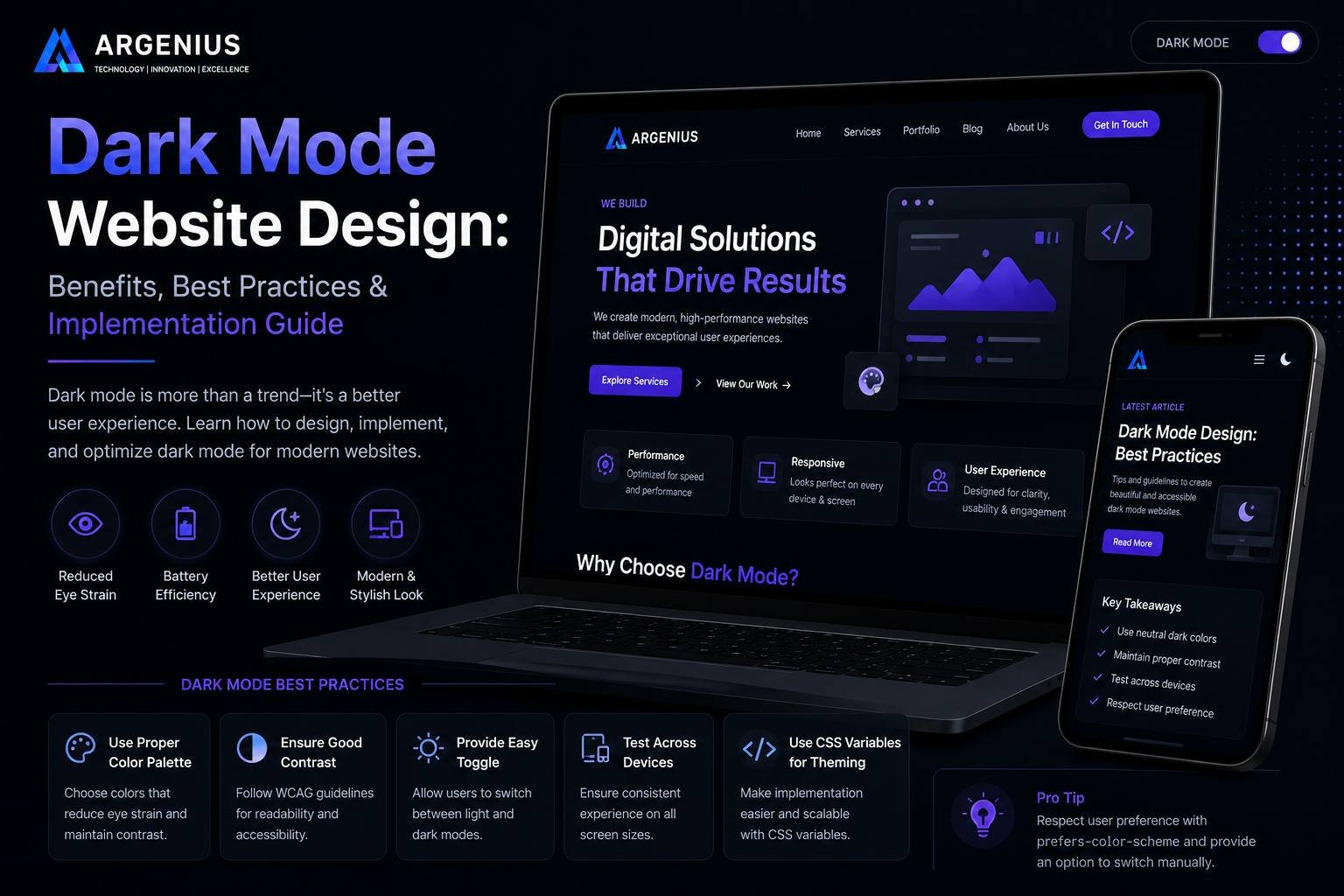
Dark mode has become one of the most popular trends in modern website design. Discover its benefits, implementation strategies, and best practices to create a visually appealing and user-friendly website.
Why Dark Mode Has Become a Popular Website Design Trend
Over the past few years, dark mode has evolved from a niche design preference into a standard feature found in many websites, mobile applications, and operating systems. Users today spend several hours each day looking at digital screens, making visual comfort an important part of the browsing experience. As a result, businesses are increasingly adopting dark mode to create websites that feel modern, elegant, and easier to use in different lighting conditions.
Dark mode is much more than replacing a white background with black. A thoughtfully designed dark interface improves readability, strengthens brand identity, and offers users an alternative viewing option that many now expect. When implemented correctly, it can enhance both user experience and visual appeal while maintaining accessibility and performance.
At Argenius, we view dark mode as an optional enhancement that complements a well-designed website. It should support usability rather than simply follow design trends.
What Is Dark Mode Website Design?
Dark mode is a user interface style where darker background colors replace traditional light backgrounds, while text and interface elements use lighter colors for contrast. Instead of bright white pages, users interact with shades of black, charcoal, dark gray, or deep navy combined with carefully selected accent colors.
Modern websites often allow visitors to switch between light mode and dark mode according to their personal preference. This flexibility creates a more personalized browsing experience while maintaining consistent branding.
The key objective is not making the website darker but making it comfortable, visually balanced, and easy to use.
Why Businesses Are Adopting Dark Mode
Dark mode has gained popularity because it offers practical benefits for both users and businesses. Visitors increasingly expect websites to provide experiences similar to the apps and devices they use every day.
Businesses choose dark mode because it helps:
- Create a modern appearance
- Improve visual comfort in low-light environments
- Strengthen premium brand identity
- Differentiate the website from competitors
- Offer users more personalization
Rather than replacing light mode entirely, many businesses now provide both options to accommodate different user preferences.
Improves User Experience in Low-Light Conditions
One of the biggest advantages of dark mode is improved viewing comfort when users browse during the evening or in dimly lit environments.
Bright white screens can sometimes feel uncomfortable at night. A carefully designed dark interface reduces excessive brightness while allowing users to continue reading comfortably.
Although individual preferences vary, giving users the choice between light and dark modes improves the overall browsing experience.
Creates a Modern and Premium Look
Dark interfaces often create a sense of sophistication and elegance.
Industries that frequently benefit from dark mode include:
- Technology companies
- Creative agencies
- Gaming platforms
- Luxury brands
- Entertainment websites
- Software products
Combined with clean typography and strategic spacing, dark mode can make a website appear more refined and contemporary.
Better Focus on Content
Dark backgrounds naturally reduce visual distractions when designed correctly.
This allows important elements such as:
- Headlines
- Product images
- Portfolio projects
- CTA buttons
- Videos
to stand out more effectively.
Many designers use dark mode to guide user attention toward the most important areas of a webpage.
Supports Brand Identity
Color plays an important role in branding.
Some businesses naturally align with darker visual styles because they communicate innovation, luxury, creativity, or professionalism.
Rather than forcing every website to follow the same appearance, businesses should choose a design system that reflects their personality.
At Argenius, we always recommend selecting colors based on business goals and target audience rather than temporary design trends.
Accessibility Matters in Dark Mode
One common misconception is that simply changing the background to black automatically creates a good dark mode experience.
Accessibility remains essential.
Good practices include:
- High text contrast
- Readable typography
- Clear button visibility
- Proper spacing
- Accessible color combinations
- Keyboard-friendly navigation
Dark mode should remain comfortable for users with different visual abilities.
Choose Colors Carefully
Pure black backgrounds often create excessive contrast against white text.
Instead, many modern websites use softer dark tones such as charcoal, graphite, or deep gray.
These colors reduce eye fatigue while maintaining a premium appearance.
Accent colors should also remain consistent with your brand identity.
Keep Images and Icons Consistent
Not every image looks equally good in dark mode.
Businesses should review:
- Logos
- Icons
- Illustrations
- Product images
- Transparent graphics
to ensure they remain visible against darker backgrounds.
Using SVG icons and transparent graphics often produces better results.
Optimize Call-to-Action Buttons
CTA buttons become even more important in dark mode.
Buttons should:
- Stand out clearly
- Maintain sufficient contrast
- Use consistent styling
- Remain easy to tap on mobile devices
Visitors should immediately recognize where to click without feeling overwhelmed by excessive colors.
Maintain Fast Performance
Dark mode should never reduce website performance.
To maintain speed:
- Optimize images
- Minimize CSS
- Avoid unnecessary animations
- Compress assets
- Use efficient JavaScript
A visually attractive website should also remain technically efficient.
Allow Users to Switch Themes
Many modern websites allow visitors to choose between light mode and dark mode.
This improves personalization while respecting different preferences.
Businesses can even remember user preferences for future visits, creating a more consistent browsing experience.
Common Dark Mode Design Mistakes
Avoid these common issues:
- Pure black backgrounds
- Poor text contrast
- Bright neon colors
- Low-quality icons
- Difficult-to-read forms
- Hidden navigation
- Inconsistent branding
- Ignoring accessibility
Dark mode should improve usability rather than create new problems.
Is Dark Mode Right for Every Website?
Not necessarily.
Dark mode works particularly well for:
- Technology companies
- Creative portfolios
- SaaS products
- Media websites
- Entertainment platforms
- Luxury brands
However, educational institutions, healthcare organizations, and content-heavy websites may still benefit from maintaining light mode as the default while offering dark mode as an optional feature.
The decision should always be based on user needs rather than design trends alone.
Why Businesses Choose Argenius
At Argenius, we design websites that combine modern aesthetics with practical usability. Whether implementing light mode, dark mode, or both, our focus remains on delivering responsive, accessible, and high-performing websites that create meaningful experiences for users.
Our design process includes user experience research, responsive development, performance optimization, accessibility standards, and SEO best practices. This ensures every website looks professional while remaining easy to navigate across all devices.
Final Thoughts
Dark mode has become an important part of modern website design because it offers users greater flexibility, visual comfort, and a premium browsing experience. When implemented thoughtfully, it enhances usability without sacrificing accessibility or performance.
Instead of viewing dark mode as a design trend, businesses should treat it as another way to improve user experience. A well-designed website should always prioritize readability, responsiveness, accessibility, and clear communication regardless of the chosen color scheme.
At Argenius, we help businesses build future-ready websites where design decisions support both user satisfaction and long-term business growth. Whether your audience prefers light mode or dark mode, the goal remains the same—creating an intuitive digital experience that leaves a lasting impression.
Frequently Asked Questions
What is Dark Mode in website design?
Dark mode is a website interface that uses dark backgrounds with light-colored text and UI elements to create a comfortable and modern viewing experience.
Does Dark Mode improve user experience?
Yes. For many users, dark mode provides a more comfortable viewing experience in low-light conditions and offers an additional personalization option.
Is Dark Mode good for SEO?
Dark mode itself is not a direct SEO ranking factor. However, when combined with excellent usability, accessibility, and performance, it contributes to a better overall user experience that supports SEO.
Should every business website use Dark Mode?
Not necessarily. It depends on your audience, industry, and brand identity. Many businesses choose to offer dark mode as an optional feature instead of making it the default.
Can Argenius build websites with Dark Mode support?
Yes. At Argenius, we develop responsive websites with optional dark mode functionality, ensuring consistent branding, accessibility, and excellent performance across all devices.