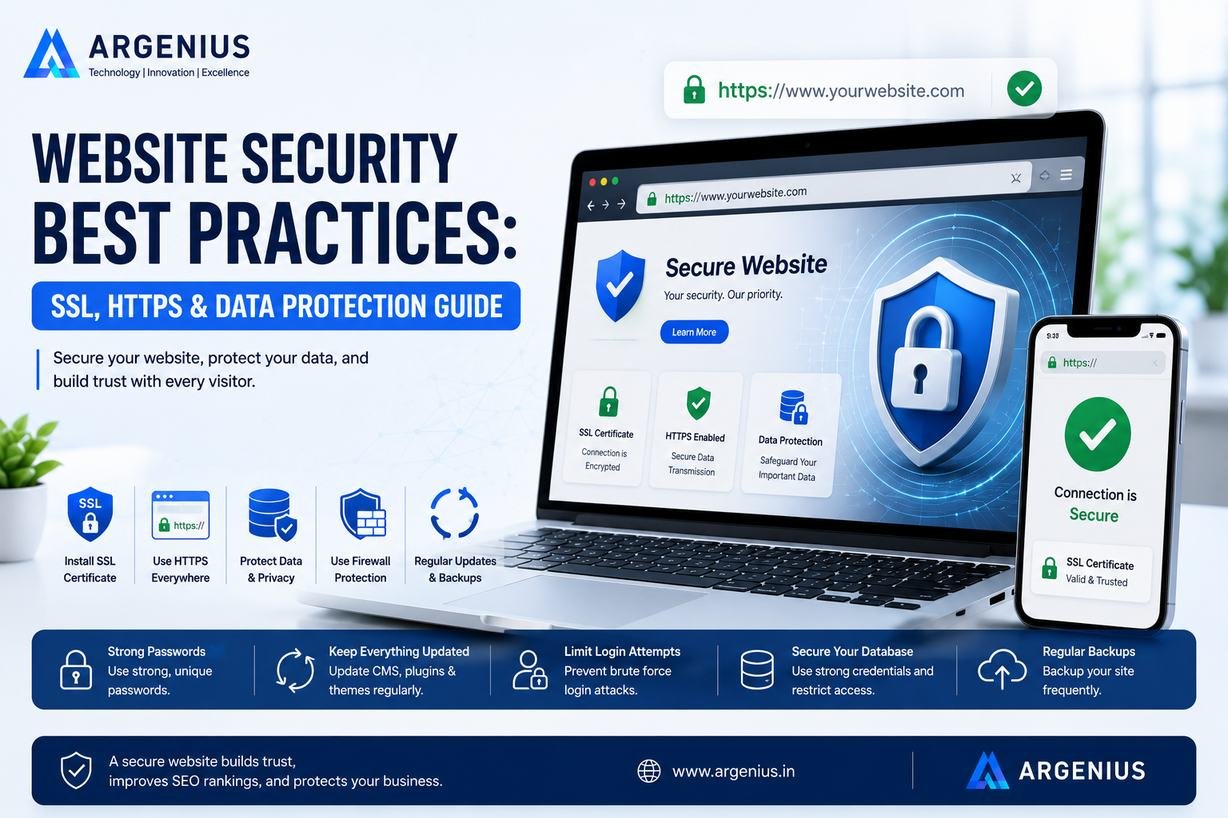
Website security is essential for protecting customer data, improving SEO, and building trust. Learn the best practices for SSL, HTTPS, backups, malware protection, and website security in this complete guide.
Why Website Security Is No Longer Optional
A website is often the first place where customers interact with your business. Whether they submit an enquiry, create an account, make an online payment, or simply browse your services, they expect their information to remain secure. Even a single security incident can damage customer trust, affect search rankings, interrupt business operations, and result in financial losses.
Cyber threats continue to evolve, targeting businesses of every size. Many website owners mistakenly believe hackers only attack large organizations, but automated attacks frequently target small business websites with outdated software, weak passwords, and poor security configurations.
At Argenius, we believe website security should be built into every stage of development rather than added after launch. A secure website not only protects sensitive information but also strengthens customer confidence, improves technical SEO, and supports long-term business growth.
What Is Website Security?
Website security refers to the technologies, processes, and best practices used to protect websites, servers, applications, and user data from unauthorized access, malware, hacking attempts, and cyberattacks.
A secure website helps ensure that visitors can browse, submit forms, make payments, and access services without exposing their personal information to unnecessary risks.
Security is an ongoing process that requires regular monitoring, updates, and continuous improvements.
Why Website Security Matters for Every Business
Regardless of your industry, your website stores valuable information. Contact forms, customer records, login credentials, and payment details can all become targets if proper security measures are not in place.
Strong website security helps businesses:
- Protect customer information
- Build trust and credibility
- Improve search engine visibility
- Prevent malware infections
- Reduce website downtime
- Protect brand reputation
- Ensure business continuity
Investing in security today can prevent expensive problems in the future.
SSL Certificates: The Foundation of Website Security
An SSL (Secure Sockets Layer) certificate encrypts the communication between a visitor's browser and your website. This encryption prevents sensitive information from being intercepted while it travels across the internet.
When an SSL certificate is installed correctly, your website displays HTTPS instead of HTTP, along with a padlock icon in most browsers.
Benefits of SSL include:
- Encrypted data transmission
- Increased customer confidence
- Secure login forms
- Protected payment information
- Better search engine trust
SSL should be considered essential for every modern website.
Why HTTPS Is Important
HTTPS is the secure version of HTTP.
It ensures that information exchanged between users and your website remains encrypted and protected from unauthorized access.
Beyond security, HTTPS also provides business benefits such as:
- Improved user trust
- Better browser compatibility
- Reduced security warnings
- Support for modern web technologies
- Stronger SEO foundation
Visitors are far more likely to trust websites that clearly demonstrate secure connections.
Keep Your Website Software Updated
Outdated software is one of the most common causes of website security vulnerabilities.
Regularly updating your CMS, plugins, themes, frameworks, and server software helps protect against newly discovered threats.
Updates often include:
- Security patches
- Bug fixes
- Performance improvements
- Compatibility updates
Ignoring updates leaves websites exposed to known vulnerabilities.
Use Strong Authentication
Weak passwords remain one of the easiest ways for attackers to gain unauthorized access.
Businesses should implement:
- Strong passwords
- Multi-factor authentication (MFA)
- Limited login attempts
- Role-based user permissions
- Secure password management
Restricting unnecessary administrator access further reduces security risks.
Protect Customer Data
Every business collecting customer information has a responsibility to protect it.
Sensitive information should be:
- Encrypted
- Access-controlled
- Stored securely
- Collected only when necessary
- Deleted when no longer required
A privacy-first approach strengthens customer confidence while supporting compliance with data protection regulations.
Schedule Automatic Website Backups
Even secure websites should prepare for unexpected situations.
Automatic backups allow businesses to restore their website if problems occur due to hacking, accidental deletion, server failure, or software issues.
An effective backup strategy includes:
- Daily or weekly backups
- Off-site storage
- Multiple recovery points
- Regular restoration testing
Backups provide peace of mind during emergencies.
Protect Against Malware
Malware can damage websites, steal customer information, redirect visitors, or reduce search visibility.
Businesses should regularly:
- Scan for malware
- Monitor suspicious activity
- Remove infected files
- Review server logs
- Update security software
Early detection significantly reduces long-term damage.
Secure Forms and User Input
Every form on your website should validate user input before processing it.
Proper validation helps prevent common attacks such as:
- SQL Injection
- Cross-Site Scripting (XSS)
- Form spam
- Malicious file uploads
Secure coding practices protect both your website and your visitors.
Use a Web Application Firewall (WAF)
A Web Application Firewall filters incoming traffic before it reaches your website.
It helps block:
- Malicious requests
- Bot attacks
- Brute-force login attempts
- Known vulnerabilities
- Suspicious IP addresses
A WAF adds another layer of protection without affecting legitimate visitors.
Monitor Website Activity
Security should never rely solely on prevention.
Regular monitoring helps identify:
- Failed login attempts
- Unauthorized changes
- Suspicious traffic
- Unexpected file modifications
- Server errors
Continuous monitoring enables businesses to respond quickly before problems become serious.
Improve Website Security for SEO
Website security and SEO are closely connected.
Search engines prefer websites that provide safe browsing experiences.
Security improvements support SEO by:
- Enabling HTTPS
- Reducing downtime
- Preventing malware warnings
- Improving user trust
- Supporting better technical performance
A secure website contributes to stronger long-term search visibility.
Common Website Security Mistakes
Many businesses unintentionally create security risks through avoidable mistakes.
Avoid:
- Using weak passwords
- Delaying software updates
- Ignoring backups
- Missing SSL certificates
- Sharing administrator accounts
- Installing untrusted plugins
- Not monitoring website activity
- Leaving unnecessary ports or services exposed
Regular security reviews help reduce these risks.
Why Businesses Choose Argenius
At Argenius, security is integrated into every website we build. From SSL implementation and secure coding practices to server hardening, regular updates, automated backups, and technical SEO, our development process is designed to protect both your business and your customers.
Whether we're developing a corporate website, an eCommerce platform, or a custom web application, we focus on building secure, scalable, and high-performing digital solutions. We also provide ongoing maintenance and security monitoring to help businesses stay protected as technology and cyber threats continue to evolve.
Final Thoughts
Website security is one of the most important investments any business can make. A secure website protects customer information, strengthens brand reputation, supports SEO, and ensures your digital presence remains reliable and trustworthy.
Rather than waiting for a security incident to occur, businesses should adopt a proactive approach by implementing SSL, HTTPS, secure authentication, regular updates, backups, malware protection, and continuous monitoring. These practices create a safer experience for users while supporting long-term business success.
At Argenius, we help businesses build and maintain secure websites that combine modern development standards, technical expertise, and proactive security strategies to create reliable digital experiences.
Frequently Asked Questions
What is an SSL certificate?
An SSL certificate encrypts the connection between a user's browser and your website, helping protect sensitive information such as login credentials and contact form submissions.
Why is HTTPS important?
HTTPS secures data transmission, builds visitor trust, removes browser security warnings, and provides a stronger foundation for technical SEO.
How often should I update my website?
Security updates should be installed as soon as practical after they are released. Regular maintenance helps reduce vulnerabilities and keeps your website secure.
Do small business websites need website security?
Yes. Small businesses are frequently targeted by automated attacks because attackers often look for websites with outdated software and weak security settings.
Can Argenius secure my existing website?
Yes. At Argenius, we provide website security audits, SSL implementation, malware cleanup, security hardening, regular maintenance, performance optimization, and ongoing monitoring to help businesses protect their websites and customer data.