What Is WordPress Multisite?
Managing multiple websites separately can become challenging as your business grows. Logging into different dashboards, updating plugins one by one, maintaining separate users, and monitoring several websites individually can quickly consume valuable time.
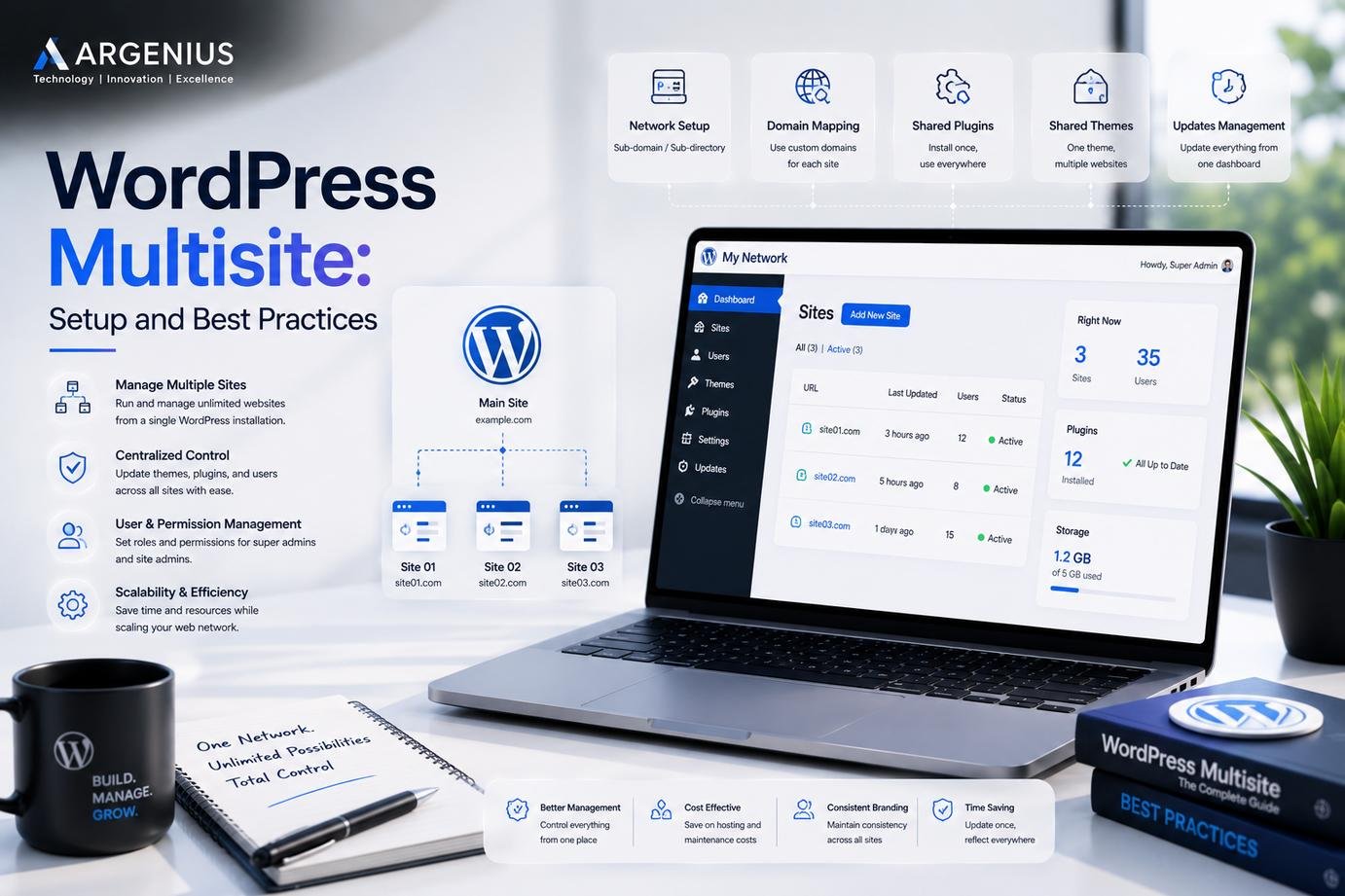
WordPress Multisite solves this challenge by allowing multiple websites to run from a single WordPress installation. Instead of installing WordPress separately for every website, you create a network where each website shares the same core files while maintaining its own content, users, and settings.
This makes WordPress Multisite a practical solution for organizations that manage several related websites under one administration.
At Argenius, we've seen Multisite become especially useful for businesses that want centralized management without sacrificing flexibility for individual websites.
How Does WordPress Multisite Work?
A Multisite network uses one WordPress installation to power multiple websites.
Each site has:
- Its own dashboard
- Individual pages and posts
- Separate media library
- Independent themes (if allowed)
- Dedicated users and permissions
Meanwhile, the network administrator manages:
- WordPress updates
- Plugin installations
- Theme availability
- User management
- Network-wide settings
This structure simplifies administration while reducing duplicated maintenance tasks.
When Should You Use WordPress Multisite?
Not every business needs a Multisite setup.
It is most beneficial when multiple websites share the same organization, technical requirements, or branding strategy.
Common examples include:
- Universities managing department websites
- Schools with separate websites for campuses
- Franchise businesses
- Hotel chains
- Healthcare groups
- Government organizations
- News networks
- Corporate branches
- Digital agencies managing client portals
- Educational institutions
If every website is completely independent with different hosting requirements, separate WordPress installations may be a better choice.
Benefits of WordPress Multisite
One of the biggest advantages is centralized management.
Instead of maintaining ten individual websites separately, administrators can perform updates, install plugins, and monitor the network from a single location.
Other major benefits include:
- Easier website management
- Lower maintenance time
- Consistent branding
- Centralized user management
- Shared resources
- Simplified software updates
- Better administrative control
- Reduced hosting complexity
These advantages become increasingly valuable as the number of websites grows.
WordPress Multisite Setup Overview
Setting up a Multisite network requires careful planning rather than simply enabling a feature.
The process generally involves:
- Installing WordPress
- Enabling Multisite in the configuration file
- Choosing between subdomains or subdirectories
- Configuring network settings
- Updating server configuration
- Creating the network administrator account
- Adding websites to the network
Although the setup is straightforward for experienced developers, planning the structure beforehand helps avoid migration challenges later.
At Argenius, we always recommend designing the network architecture before enabling Multisite, especially for growing businesses.
Subdomains vs Subdirectories
One of the first decisions during setup is choosing how websites will be organized.
Subdomains
Examples:
- store.example.com
- blog.example.com
- school.example.com
Subdomains work well when websites represent different departments or business units.
Subdirectories
Examples:
- example.com/store
- example.com/blog
- example.com/school
Subdirectories are often suitable when websites remain closely connected to the main brand.
The right choice depends on branding, SEO strategy, and long-term expansion plans.
User Roles in WordPress Multisite
WordPress Multisite introduces an additional role called the Network Administrator.
This role controls:
- Plugin installation
- Theme management
- Network settings
- Website creation
- User permissions
Individual website administrators continue managing their own content without receiving access to network-wide settings.
This separation improves both security and administrative efficiency.
Plugin Management
One major advantage of Multisite is centralized plugin management.
Plugins are installed once by the network administrator and can then be:
- Activated network-wide
- Enabled for specific websites
- Restricted from certain websites
This reduces maintenance while ensuring consistency across the network.
However, it's important to avoid installing unnecessary plugins that may affect every website within the network.
Theme Management
Themes are managed similarly.
The network administrator decides which themes are available.
Individual website administrators can activate approved themes without installing additional files.
This helps maintain consistent branding while preventing unauthorized theme installations.
Performance Considerations
Although Multisite simplifies administration, performance planning becomes more important as the network expands.
To maintain excellent performance:
- Use quality hosting
- Enable caching
- Optimize images
- Monitor database growth
- Use a CDN
- Keep plugins updated
- Remove unused themes
Proper optimization ensures every website within the network continues performing efficiently.
Security Best Practices
Because multiple websites share the same WordPress installation, security becomes even more important.
Recommended practices include:
- Strong administrator passwords
- Two-Factor Authentication
- Regular backups
- Security monitoring
- Malware scanning
- Limited administrator access
- Regular software updates
- Secure hosting
A proactive security strategy protects every website within the network.
Common Challenges
Although Multisite offers many advantages, it also introduces additional complexity.
Some common challenges include:
- Plugin compatibility
- Larger databases
- User permission management
- Backup planning
- Website migrations
- Performance optimization
- Third-party integration limitations
Understanding these challenges early helps businesses plan more effectively.
WordPress Multisite Best Practices
To keep your network efficient and secure:
- Plan your network structure before setup.
- Use reliable hosting designed for scalable WordPress environments.
- Limit the number of plugins installed across the network.
- Schedule regular backups and test restoration procedures.
- Monitor website performance and security continuously.
- Assign user permissions carefully.
- Document your network configuration.
- Perform updates during scheduled maintenance windows.
Following these practices helps reduce technical issues while making administration easier.
Is WordPress Multisite Good for SEO?
Yes—when configured correctly.
Each website in a Multisite network can have its own:
- SEO settings
- Meta titles
- Meta descriptions
- XML sitemaps
- Structured data
- Internal linking strategy
- Content marketing plan
Search engines treat each website as an individual entity while benefiting from efficient centralized management.
Why Businesses Choose Argenius for WordPress Development
Building a successful Multisite network requires more than enabling a feature inside WordPress. It requires careful planning, scalable architecture, strong security practices, and long-term maintenance.
At Argenius, we help organizations design and manage WordPress Multisite solutions that are secure, high-performing, and built for future growth. Whether you're managing multiple branches, educational institutions, franchise locations, or corporate websites, our team creates scalable solutions that simplify administration without compromising flexibility.
Final Thoughts
WordPress Multisite is a powerful solution for organizations managing multiple related websites. It reduces administrative overhead, simplifies updates, and provides centralized control while allowing each website to maintain its own identity.
However, Multisite is not the right solution for every project. Businesses should evaluate their long-term goals, technical requirements, and management processes before deciding whether a network installation is the best fit.
With proper planning, secure hosting, regular maintenance, and expert implementation, WordPress Multisite can become an efficient foundation for managing a growing digital presence.
Frequently Asked Questions
What is WordPress Multisite?
WordPress Multisite is a feature that allows multiple websites to run from a single WordPress installation while being managed through one network dashboard.
Is WordPress Multisite free?
Yes. The Multisite feature is included with WordPress, although hosting, development, and maintenance costs still apply.
Can each website have its own domain?
Yes. A Multisite network can support domain mapping, allowing individual websites to use different custom domains.
Is WordPress Multisite suitable for every business?
No. It works best for organizations managing multiple related websites under centralized administration. Independent businesses with completely different requirements may benefit more from separate WordPress installations.
Can Argenius help set up a WordPress Multisite network?
Yes. At Argenius, we design, implement, secure, and maintain WordPress Multisite solutions tailored to business, educational, enterprise, and multi-location organizations.