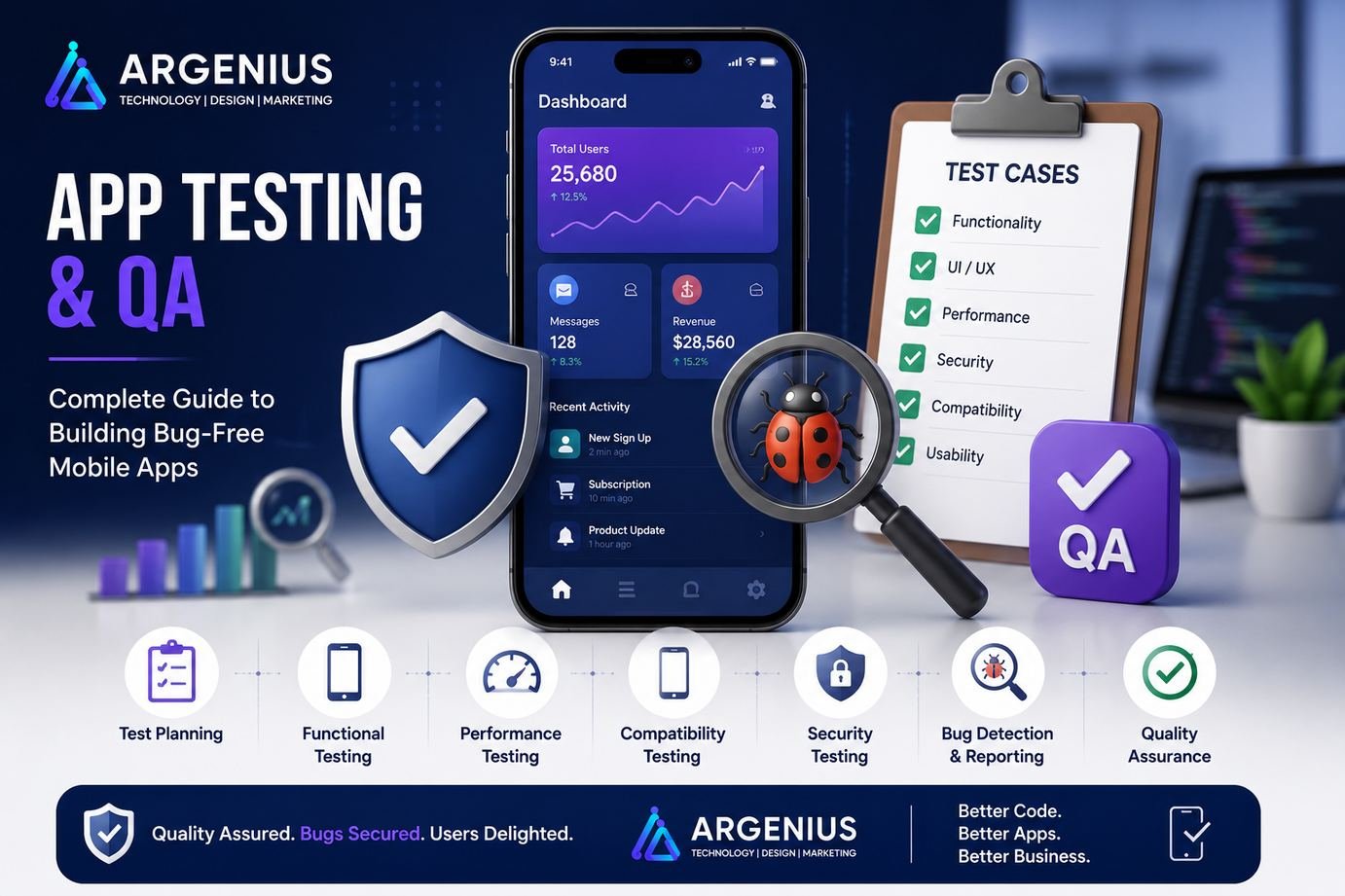
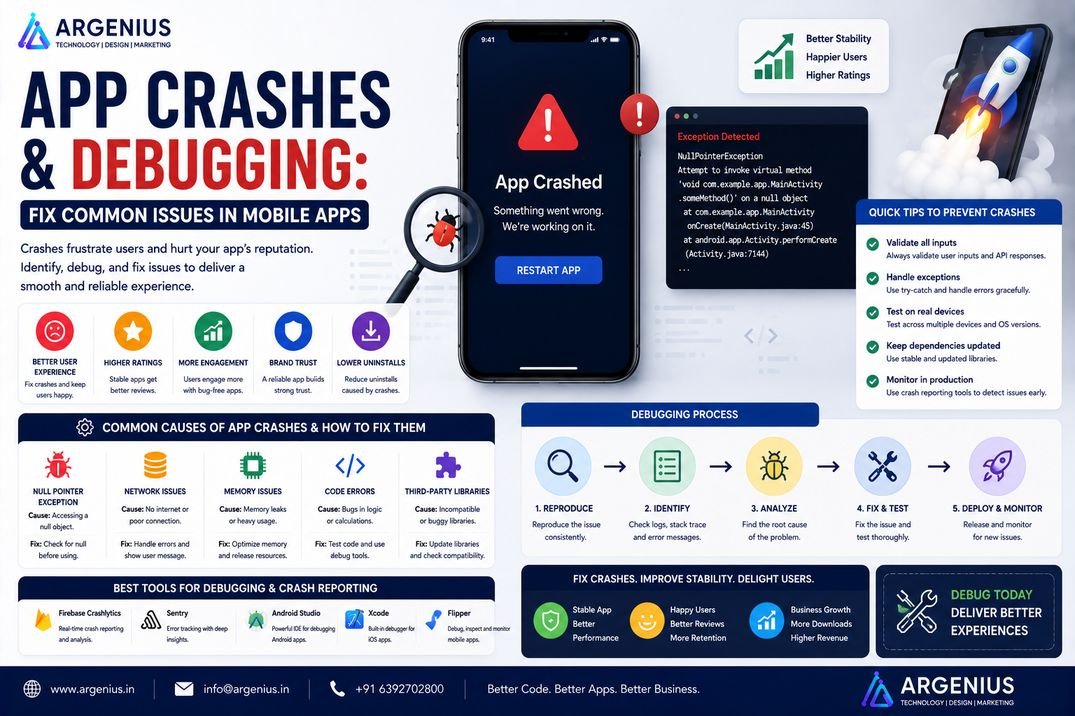
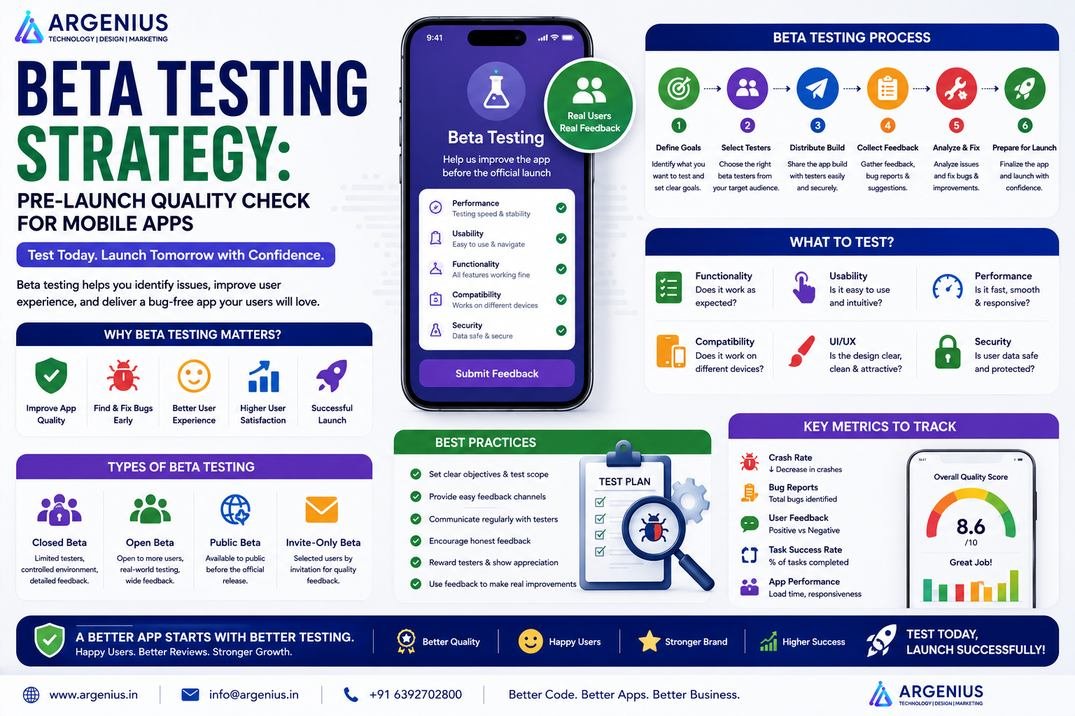
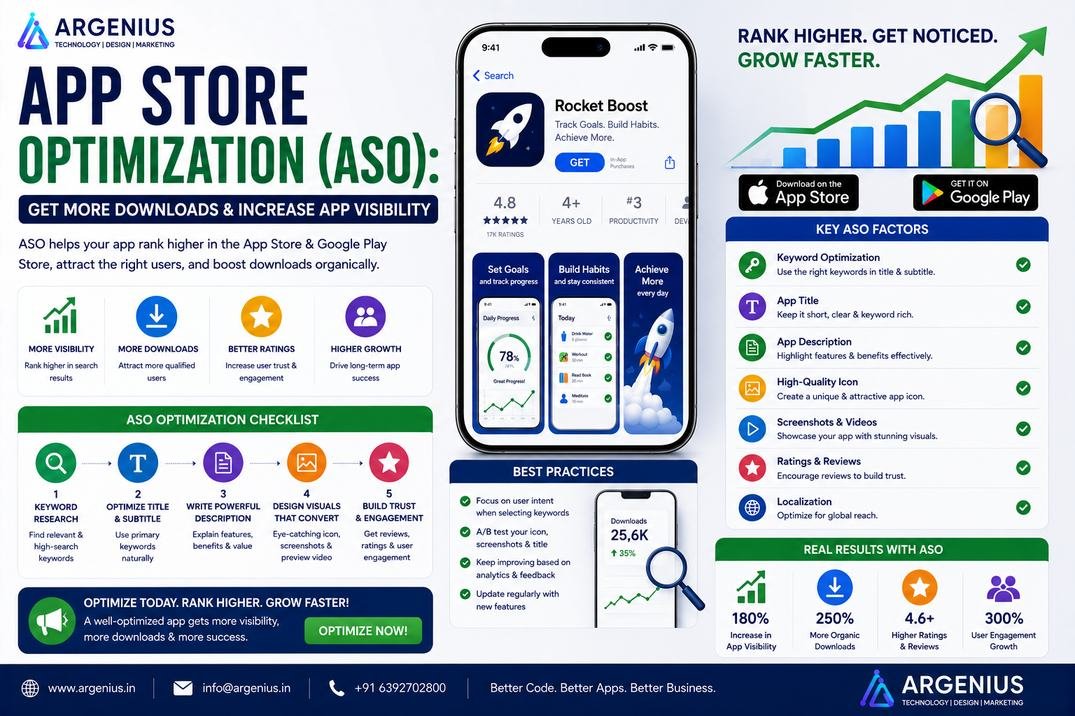
A successful mobile app isn't just about great design and powerful features—it's about delivering a reliable, bug-free experience. This guide covers everything you need to know about mobile app testing and quality assurance, including testing types, QA workflows, automation tools, performance testing, security testing, and best practices to ensure your app is launch-ready.
Launching a mobile application without proper testing is like opening a restaurant without tasting the food first. Everything may look perfect on the surface, but even a small issue can lead to poor reviews, frustrated users, and lost business opportunities.
Modern users expect mobile applications to be fast, secure, stable, and easy to use. They won't tolerate frequent crashes, slow loading times, broken features, or confusing user interfaces. In fact, many users uninstall an app after just one bad experience.
This is why Quality Assurance (QA) has become one of the most critical stages of mobile app development. Testing is no longer limited to finding bugs before launch. It helps ensure every feature works correctly, data remains secure, the app performs well under different conditions, and users enjoy a smooth experience across multiple devices.
Whether you're building an eCommerce platform, healthcare application, banking solution, food delivery app, social media platform, or enterprise software, testing every component before launch reduces development costs, minimizes post-release issues, and protects your brand reputation.
An effective QA strategy combines manual testing, automated testing, performance evaluation, security assessments, compatibility checks, and real-user validation. Instead of reacting to problems after launch, businesses can identify and fix issues early, saving both time and money.
In this guide, you'll learn how mobile app testing works, the different types of testing every application should undergo, recommended QA tools, testing workflows, and best practices for delivering a high-quality mobile application.
At Argenius, quality assurance is integrated throughout the development lifecycle, helping businesses launch secure, reliable, and high-performance mobile applications that users can trust.
What is App Testing & Quality Assurance?
App Testing is the process of verifying that a mobile application works as expected under different conditions.
Quality Assurance (QA) is a broader process that focuses on improving the overall quality of the application by identifying issues early, preventing defects, and ensuring consistent performance throughout development.
Together, they help ensure that an application is:
- Stable
- Secure
- Fast
- User-Friendly
- Compatible Across Devices
- Reliable
- Bug-Free
- Scalable
- Easy to Maintain
- Ready for Production
QA is not just about fixing bugs—it's about delivering confidence before launch.
Why App Testing is Important
Even a small software bug can negatively impact thousands of users. Thorough testing helps identify issues before they reach production.
Major benefits include:
- Better User Experience
- Reduced App Crashes
- Higher Customer Satisfaction
- Stronger Security
- Faster Performance
- Lower Maintenance Costs
- Improved App Store Ratings
- Better Business Reputation
- Reduced Development Risks
- Faster Release Cycles
Well-tested applications are more likely to retain users and receive positive reviews.
Types of Mobile App Testing
Every successful application goes through multiple testing stages.
Functional Testing
Functional testing verifies that every feature behaves as expected.
It includes:
- Login
- Registration
- Payments
- Search
- Navigation
- Forms
- Notifications
- API Responses
UI & UX Testing
This testing ensures the application's interface is intuitive and visually consistent.
Areas covered include:
- Layout
- Buttons
- Fonts
- Colors
- Navigation
- Animations
- Responsiveness
- Accessibility
Performance Testing
Performance testing evaluates how the application behaves under different workloads.
It measures:
- Loading Speed
- Response Time
- CPU Usage
- Memory Consumption
- Battery Usage
- Network Performance
Security Testing
Security testing protects sensitive user information.
Common checks include:
- Authentication
- Authorization
- Data Encryption
- API Security
- Session Management
- Secure Storage
- Input Validation
Compatibility Testing
Users access applications from different devices and operating systems.
Compatibility testing verifies performance across:
- Android Devices
- iPhones
- Tablets
- Different Screen Sizes
- Multiple OS Versions
- Various Browsers (for web apps)
Usability Testing
Usability testing focuses on how real users interact with the application.
It helps answer questions such as:
- Is navigation simple?
- Can users complete tasks quickly?
- Are important features easy to find?
- Is the app accessible to all users?
QA Process
A structured QA process improves software quality and reduces production issues.
A typical workflow includes:
- Requirement Analysis
- Test Planning
- Test Case Creation
- Environment Setup
- Test Execution
- Bug Reporting
- Bug Fix Verification
- Regression Testing
- Final Validation
- Release Approval
This systematic approach ensures every feature is validated before launch.
Industries That Need QA Testing
Quality assurance is essential across nearly every industry.
Common examples include:
- eCommerce Platforms
- Healthcare Applications
- Banking & FinTech
- Food Delivery Apps
- Logistics Platforms
- Education Apps
- Travel Applications
- Enterprise Software
- Real Estate Platforms
- Social Media Apps
Essential QA Features
An effective QA process should include:
- Test Case Management
- Bug Tracking
- Regression Testing
- Device Testing
- API Testing
- Automation Testing
- Performance Monitoring
- Security Validation
- Test Reporting
- Release Verification
Recommended Technology Stack
Testing Frameworks
- Appium
- Selenium
- Cypress
- Espresso
- XCTest
Performance Testing
- JMeter
- Gatling
- Firebase Performance Monitoring
Bug Tracking
- Jira
- ClickUp
- Trello
- GitHub Issues
CI/CD
- GitHub Actions
- GitLab CI/CD
- Jenkins
- Bitrise
Mobile Development
- Flutter
- React Native
- Kotlin
- Swift
A modern QA stack helps teams identify issues faster, automate repetitive tasks, and maintain high software quality throughout the development lifecycle.
QA Architecture
A well-planned Quality Assurance (QA) architecture helps identify bugs early, ensures consistent application performance, and minimizes risks before launch. Instead of testing only at the end of development, QA should be integrated throughout the entire Software Development Life Cycle (SDLC).
A modern QA architecture typically includes:
- Requirement Analysis
- Test Planning
- Test Environment
- Manual Testing
- Automation Testing
- API Testing
- Performance Testing
- Security Testing
- Bug Tracking System
- CI/CD Pipeline
- Reporting & Analytics
This structured approach enables faster releases while maintaining high software quality.
Manual Testing vs Automation Testing
Both manual and automated testing play important roles in building reliable applications.
Manual Testing
Manual testing involves testers executing test cases without automation tools.
Best suited for:
- UI Testing
- Exploratory Testing
- Usability Testing
- Ad-hoc Testing
- User Acceptance Testing (UAT)
Advantages:
- Human Observation
- Better UX Evaluation
- Flexible Testing
- No Initial Automation Cost
Automation Testing
Automation testing uses scripts and testing frameworks to execute repetitive test cases.
Best suited for:
- Regression Testing
- API Testing
- Smoke Testing
- Performance Testing
- Continuous Integration
Advantages:
- Faster Execution
- Repeatable Tests
- Reduced Human Errors
- Continuous Testing
- Better Long-Term ROI
The best QA strategy combines both manual and automated testing.
Regression Testing
Whenever developers add a new feature or fix a bug, regression testing ensures that existing functionality continues to work correctly.
Regression testing verifies:
- Login
- Registration
- Payments
- Search
- Notifications
- User Profiles
- Orders
- APIs
- Dashboard
- Navigation
Automating regression tests significantly reduces testing time in large projects.
API Testing
Modern mobile applications depend heavily on APIs for communication between the frontend and backend.
API testing validates:
- Request Validation
- Response Accuracy
- Authentication
- Authorization
- Error Handling
- Response Time
- Data Integrity
- Status Codes
- Security
- Rate Limiting
Reliable APIs are essential for a stable and responsive application.
Load & Stress Testing
Applications should perform consistently, even under heavy traffic.
Load Testing
Measures application performance under expected user traffic.
Checks include:
- Response Time
- Throughput
- Concurrent Users
- Server Utilization
Stress Testing
Evaluates how the application behaves beyond its expected capacity.
It helps identify:
- System Failures
- Recovery Time
- Resource Limits
- Performance Bottlenecks
These tests ensure applications remain reliable during peak usage.
Security Testing Checklist
Security testing protects sensitive business and customer information.
Every mobile application should verify:
- Secure Authentication
- Authorization Rules
- Password Encryption
- API Security
- Data Encryption
- Secure Storage
- Session Management
- SQL Injection Protection
- XSS Prevention
- CSRF Protection
Regular security testing helps reduce vulnerabilities before release.
Testing Tools Comparison
| Tool |
Best For |
Platform |
| Appium |
Mobile Automation |
Android & iOS |
| Selenium |
Web Automation |
Web |
| Espresso |
Native Android Testing |
Android |
| XCTest |
Native iOS Testing |
iOS |
| Cypress |
Frontend Testing |
Web |
| JMeter |
Load Testing |
Cross Platform |
| Postman |
API Testing |
Cross Platform |
| Firebase Test Lab |
Device Testing |
Android & iOS |
Choosing the right tools depends on the application's technology stack and testing goals.
Development Cost (₹ INR)
The cost of implementing a complete QA process depends on project size, automation requirements, supported platforms, and testing scope.
| Testing Level |
Estimated Cost |
| Basic QA Testing |
₹1,50,000 – ₹4,00,000 |
| Complete Manual & Automation Testing |
₹4,00,000 – ₹10,00,000 |
| Enterprise QA Solution |
₹10,00,000 – ₹20,00,000 |
| Large Enterprise Testing Program |
₹20,00,000+ (Custom Pricing) |
Factors Affecting Cost
Testing costs depend on:
- App Complexity
- Number of Features
- Android & iOS Support
- Automation Coverage
- Third-Party Integrations
- API Complexity
- Security Testing
- Performance Testing
- Device Compatibility
- Maintenance & Regression Testing
Common QA Challenges
Even experienced QA teams encounter challenges throughout the testing process.
Common issues include:
- Incomplete Test Coverage
- Changing Business Requirements
- Device Fragmentation
- OS Compatibility Issues
- Limited Testing Time
- Frequent Requirement Changes
- Slow Bug Resolution
- Poor Test Data Management
- Automation Maintenance
- Production Environment Differences
A structured QA strategy helps minimize these risks and improve release quality.
Best Practices for Mobile App Testing
Following proven QA practices helps deliver stable and reliable applications.
Recommended best practices include:
- Start Testing Early
- Automate Repetitive Tests
- Test on Real Devices
- Validate APIs Thoroughly
- Perform Security Audits
- Monitor Performance Regularly
- Maintain Updated Test Cases
- Execute Regression Testing Before Every Release
- Use CI/CD for Continuous Testing
- Conduct User Acceptance Testing (UAT)
These practices improve software quality while reducing long-term maintenance costs.
Performance Optimization During QA
Testing should evaluate both functionality and performance.
Performance optimization includes:
- Memory Leak Detection
- Battery Usage Analysis
- CPU Monitoring
- Database Optimization
- Image Optimization
- Network Request Optimization
- API Response Monitoring
- Startup Time Measurement
- Background Process Evaluation
- Crash Analysis
Performance-focused QA ensures applications remain fast and responsive under real-world conditions.
Benefits of Comprehensive QA
Investing in quality assurance provides long-term business value.
Major benefits include:
- Fewer Production Bugs
- Better User Experience
- Faster App Store Approval
- Improved Customer Satisfaction
- Stronger Security
- Lower Maintenance Costs
- Better App Ratings
- Increased User Retention
- Faster Release Cycles
- Higher Business Credibility
Quality assurance protects both your investment and your brand reputation.
Future Trends in App Testing
The QA landscape continues to evolve with automation and artificial intelligence.
Emerging trends include:
- AI-Powered Test Automation
- Self-Healing Test Scripts
- Visual Regression Testing
- Continuous Testing
- Shift-Left Testing
- Cloud Device Testing
- Predictive Defect Analysis
- Robotic Process Automation (RPA)
- AI-Based Bug Detection
- Intelligent Test Case Generation
Businesses adopting modern QA practices can release applications faster while maintaining exceptional quality.
Why Businesses Choose Argenius
At Argenius, quality assurance is integrated into every stage of the development lifecycle. We focus on delivering secure, stable, and high-performance mobile applications that provide exceptional user experiences.
Our QA expertise includes:
- Manual Testing
- Automation Testing
- Functional Testing
- API Testing
- Performance Testing
- Security Testing
- Flutter & React Native App Testing
- CI/CD Integration
- Bug Tracking & Reporting
- Post-Launch Quality Monitoring
Whether you're launching an eCommerce platform, healthcare application, fintech solution, logistics app, or enterprise software, Argenius ensures your product is thoroughly tested before it reaches users.
Final Thoughts
A successful mobile application is not defined solely by its features—it is measured by the experience it delivers. Thorough testing and quality assurance ensure that users encounter a stable, secure, and reliable application from the very first interaction.
By combining manual testing, automation, performance analysis, security validation, and continuous monitoring, businesses can identify issues early, reduce development risks, and launch with confidence.
If you're preparing to release a mobile application, investing in a comprehensive QA strategy is one of the smartest decisions you can make. Argenius helps businesses deliver bug-free, scalable, and high-performing mobile apps that are ready for real-world users.
Frequently Asked Questions
What is the difference between testing and quality assurance?
Testing focuses on finding defects in the application, while Quality Assurance (QA) is a broader process that prevents defects by improving development and testing practices throughout the project lifecycle.
Why is mobile app testing important?
Testing helps identify bugs, improve security, optimize performance, ensure compatibility across devices, and provide a better user experience before the application is launched.
Which testing types are essential before launching an app?
Every application should undergo functional testing, UI/UX testing, performance testing, security testing, API testing, compatibility testing, regression testing, and User Acceptance Testing (UAT).
How much does app testing cost?
Basic QA testing typically costs ₹1.5 lakh–₹4 lakh, while enterprise-grade testing with automation, performance testing, security audits, and CI/CD integration can cost ₹20 lakh or more, depending on the project's complexity.
Which automation tools are commonly used?
Popular tools include Appium, Selenium, Espresso, XCTest, Cypress, Postman, JMeter, and Firebase Test Lab, depending on the application platform and testing requirements.
Can Argenius provide end-to-end QA services?
Yes. Argenius offers complete QA solutions, including manual testing, automation testing, API validation, security testing, performance testing, regression testing, CI/CD integration, and post-launch quality monitoring.