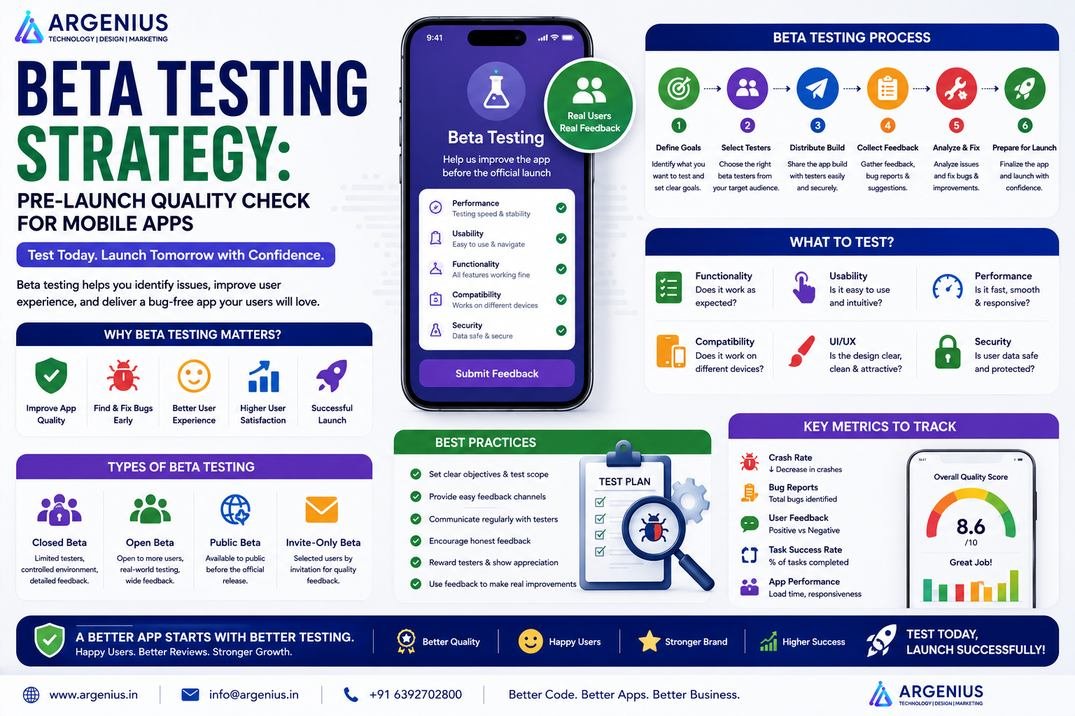
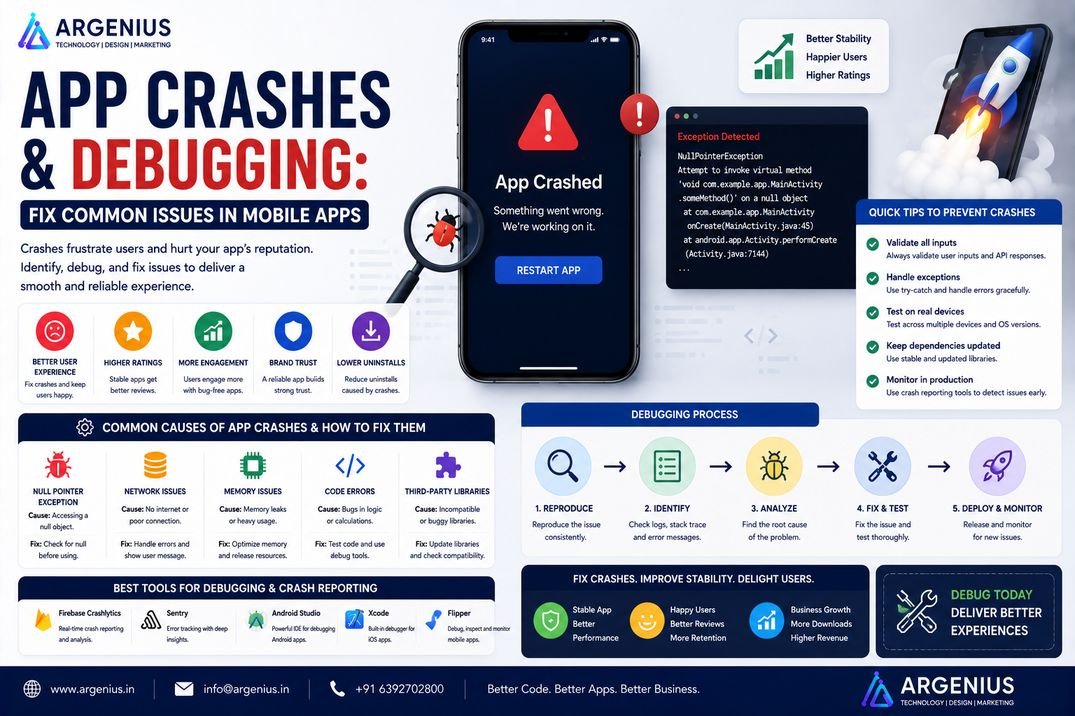
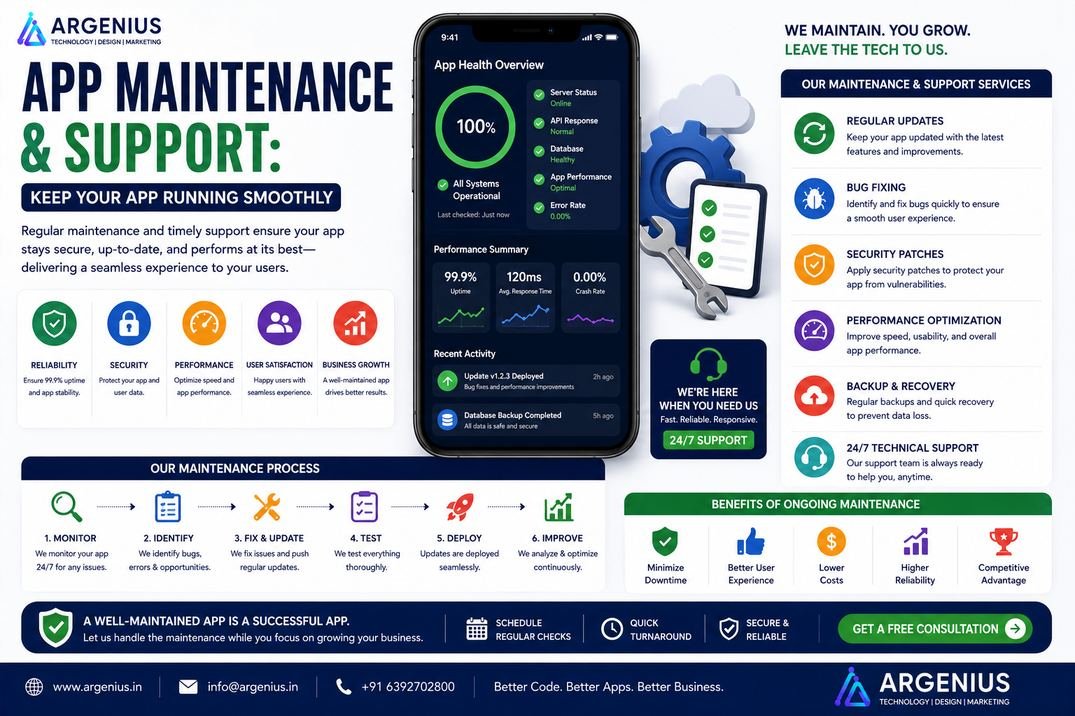
Beta testing is the final quality check before launching a mobile application. This guide explains how to plan, execute, and manage a successful beta testing strategy to identify bugs, improve user experience, and launch with confidence.
Developing a mobile application requires months of planning, design, coding, and testing. However, even after completing internal quality assurance, there's still one critical step before making the app available to the public—beta testing.
Internal testing teams can identify technical issues, but they often use the application differently from real users. Beta testing introduces the app to a controlled group of actual users who interact with it in real-world environments, on different devices, operating systems, and network conditions. Their feedback helps uncover usability issues, unexpected bugs, performance bottlenecks, and user experience improvements that might otherwise go unnoticed.
Launching an application without beta testing increases the risk of poor reviews, crashes, negative ratings, and low user retention. A well-planned beta testing strategy minimizes these risks by validating the application's functionality before its public release.
Beta testing is not only about finding bugs—it also helps businesses understand user expectations, evaluate feature adoption, test onboarding experiences, measure performance, and ensure the product is ready for the market.
Whether you're building an eCommerce app, healthcare platform, fintech solution, food delivery application, educational platform, SaaS product, or enterprise software, beta testing is an essential part of delivering a reliable and successful product.
In this guide, you'll learn everything about beta testing, including planning, recruiting testers, managing feedback, measuring success, costs, and best practices.
At Argenius, we help businesses perform structured beta testing that ensures applications are stable, user-friendly, and ready for a successful launch.
What is Beta Testing?
Beta testing is the final stage of software testing where a limited group of real users tests an application before its official public release.
The goal is to validate the application's performance, usability, functionality, and stability under real-world conditions.
Beta testing helps identify:
- Functional Bugs
- UI/UX Issues
- Performance Problems
- Device Compatibility Issues
- Security Concerns
- User Experience Improvements
- Network-Related Issues
- Feature Feedback
- Crash Reports
- Stability Problems
Unlike internal QA testing, beta testing focuses on actual user experiences.
Why Beta Testing is Important
Releasing an app without real-world testing can lead to poor first impressions.
Benefits of beta testing include:
- Detect Hidden Bugs
- Improve User Experience
- Validate Business Features
- Reduce Launch Risks
- Improve App Performance
- Increase User Satisfaction
- Test Multiple Devices
- Validate New Features
- Improve App Store Ratings
- Launch with Confidence
A successful beta program significantly reduces post-launch issues.
Alpha Testing vs Beta Testing
Although both testing phases improve software quality, they serve different purposes.
| Feature |
Alpha Testing |
Beta Testing |
| Performed By |
Internal QA Team |
Real Users |
| Environment |
Controlled |
Real-World |
| Purpose |
Find Technical Bugs |
Validate User Experience |
| Participants |
Developers & Testers |
Customers & Selected Users |
| Timing |
Before Beta |
Before Public Launch |
Both phases are essential for delivering a high-quality application.
Types of Beta Testing
Different beta testing approaches serve different business goals.
Closed Beta Testing
The application is released to a limited number of invited users.
Best for:
- Enterprise Applications
- Confidential Products
- Internal Business Software
Open Beta Testing
Anyone interested can join the testing program.
Best for:
- Consumer Applications
- Gaming Apps
- Social Media Platforms
Technical Beta Testing
Focuses on identifying technical issues.
Areas covered:
- Performance
- Compatibility
- APIs
- Stability
- Security
Marketing Beta Testing
Used to generate awareness before launch.
Benefits include:
- Early Reviews
- Brand Awareness
- Community Building
- Initial Feedback
- Launch Preparation
Beta Testing Process
A structured process improves testing quality and ensures valuable feedback.
Typical beta testing process:
- Define Testing Goals
- Select Testers
- Prepare Test Environment
- Distribute Beta Build
- Collect Feedback
- Track Bugs
- Prioritize Issues
- Release Updated Build
- Validate Fixes
- Prepare for Launch
How to Recruit Beta Testers
Choosing the right testers is critical for obtaining useful feedback.
Ideal beta testers include:
- Existing Customers
- Early Adopters
- Industry Experts
- Internal Employees
- Target Audience
- Technology Enthusiasts
- Business Clients
- QA Professionals
- Community Members
- Influencers (When Appropriate)
A diverse testing group helps uncover issues across different user segments.
Feedback Collection Strategy
Collecting structured feedback makes it easier to prioritize improvements.
Useful feedback methods include:
- In-App Feedback Forms
- Surveys
- Email Questionnaires
- Bug Reporting Tools
- Interviews
- User Recordings
- Analytics Platforms
- Crash Reports
- Feature Requests
- Community Discussions
Organizing feedback by priority helps development teams address the most critical issues first.
Beta Testing Checklist
Before launching the beta program, verify that the application includes:
- Stable Build
- Crash Reporting
- Analytics Integration
- Feedback Collection System
- Test Accounts
- Privacy Policy
- Terms of Service
- Logging System
- Monitoring Tools
- Backup Plan
Industries That Benefit from Beta Testing
Beta testing is valuable for nearly every software product.
Examples include:
- eCommerce
- Healthcare
- Banking & FinTech
- Logistics
- Education
- Travel
- Food Delivery
- SaaS Platforms
- Gaming
- Enterprise Applications
Recommended Beta Testing Tools
Popular tools include:
- Firebase App Distribution
- TestFlight
- Google Play Console
- Firebase Crashlytics
- Sentry
- Jira
- Trello
- Notion
- Mixpanel
- Firebase Analytics
These tools simplify app distribution, bug reporting, analytics, and tester management.
Beta Testing Architecture
A well-planned beta testing architecture helps development teams monitor application performance, collect meaningful user feedback, identify bugs, and ensure a stable release before the public launch.
A typical beta testing architecture includes:
- Beta Mobile Application
- Beta Distribution Platform
- Authentication Layer
- Crash Reporting System
- Analytics Platform
- Feedback Collection Module
- Bug Tracking System
- Development Dashboard
- QA Management Portal
- Cloud Backend
This architecture enables real-time monitoring, structured feedback collection, and faster issue resolution throughout the beta phase.
Beta Release Workflow
A structured beta release workflow ensures that every stage of testing is controlled and measurable.
Typical workflow:
- Freeze Feature Development
- Build Beta Version
- Internal QA Validation
- Upload Beta Build
- Invite Beta Testers
- Test Across Devices
- Collect Feedback & Crash Reports
- Prioritize Bugs
- Release Updated Beta Versions
- Final QA Approval
- Publish Production Release
Using multiple beta iterations before launch significantly improves product quality.
Bug Reporting & Prioritization
Not every bug has the same impact. Proper prioritization ensures that critical issues are resolved before launch.
Critical Priority
- App Crashes
- Payment Failures
- Login Issues
- Data Loss
- Security Vulnerabilities
High Priority
- Slow Performance
- Broken Features
- API Failures
- Navigation Problems
Medium Priority
- UI Alignment Issues
- Minor Validation Errors
- Animation Problems
Low Priority
- Typographical Errors
- Minor Design Improvements
- Small Visual Adjustments
Categorizing bugs helps development teams focus on the issues that have the greatest impact on users.
User Feedback Analysis
Collecting feedback is only valuable if it is analyzed effectively.
Feedback should be categorized into:
- Feature Requests
- UI/UX Suggestions
- Performance Issues
- Crash Reports
- Security Concerns
- Navigation Problems
- Missing Functionality
- Compatibility Issues
- Positive Feedback
- Enhancement Ideas
Prioritizing recurring feedback helps improve both usability and customer satisfaction before launch.
Success Metrics & KPIs
A successful beta testing program should be measured using clear performance indicators.
Important KPIs include:
- Number of Active Testers
- Bug Discovery Rate
- Crash-Free Sessions
- Average Session Duration
- Task Completion Rate
- User Satisfaction Score
- Feature Adoption Rate
- Retention During Beta
- App Stability Score
- Critical Bug Resolution Time
Monitoring these metrics provides confidence that the application is ready for production.
Security & Privacy During Beta Testing
Even during beta testing, user data and application security should remain a top priority.
Security best practices include:
- Secure Authentication
- Encrypted Data Transmission
- NDA for Confidential Testers
- Limited Production Data Access
- Role-Based Permissions
- Secure API Access
- Regular Security Monitoring
- Privacy Policy Compliance
- GDPR/CCPA Compliance (where applicable)
- Secure Log Management
Protecting sensitive information builds trust and reduces business risk during testing.
Development Cost (₹ INR)
The cost of beta testing depends on the application's complexity, tester count, testing duration, and reporting requirements.
| Beta Testing Service |
Estimated Cost |
| Basic Beta Testing |
₹30,000 – ₹75,000 |
| Standard Business Beta Program |
₹75,000 – ₹2,00,000 |
| Enterprise Beta Testing |
₹2,00,000 – ₹6,00,000 |
| Large Enterprise Beta Management |
₹6,00,000+ (Custom Pricing) |
Factors Affecting Cost
Project cost depends on:
- Application Size
- Number of Testers
- Testing Duration
- Android & iOS Platforms
- Device Coverage
- Automation Tools
- Analytics Integration
- Bug Tracking System
- Security Testing
- Reporting Requirements
Beta Testing Best Practices
Following proven practices ensures maximum value from beta testing.
Recommended best practices include:
- Define Clear Testing Objectives
- Recruit Target Audience Testers
- Limit Feature Changes During Beta
- Provide Clear Testing Instructions
- Monitor Crash Reports Daily
- Respond to Tester Feedback Quickly
- Release Incremental Updates
- Maintain Regular Communication
- Prioritize Critical Bugs
- Conduct Final Regression Testing Before Launch
A disciplined beta testing process reduces launch risks and improves product quality.
Common Beta Testing Mistakes
Many applications fail to benefit from beta testing due to avoidable mistakes.
Common mistakes include:
- Too Few Testers
- Testing Only One Device Type
- Ignoring User Feedback
- Poor Bug Tracking
- Unclear Testing Goals
- Releasing Unstable Builds
- Lack of Analytics
- No Feedback Process
- Delayed Bug Fixes
- Launching Before Critical Issues Are Resolved
Avoiding these mistakes helps ensure a smoother and more successful public launch.
Closed Beta vs Open Beta
| Feature |
Closed Beta |
Open Beta |
| Participants |
Selected Users |
Public Users |
| User Control |
High |
Low |
| Feedback Quality |
Highly Focused |
Broad & Diverse |
| Security |
More Secure |
Less Secure |
| Marketing Impact |
Limited |
High |
| Best For |
Enterprise & Confidential Apps |
Consumer & Mass-Market Apps |
Many businesses begin with a closed beta and later transition to an open beta before the official launch.
Benefits of Beta Testing
An effective beta testing strategy delivers long-term value for both businesses and users.
Key benefits include:
- Identify Hidden Bugs
- Improve Application Stability
- Validate User Experience
- Reduce Negative Reviews
- Improve Performance
- Test Real-World Usage
- Increase Customer Satisfaction
- Strengthen Product Quality
- Lower Post-Launch Support Costs
- Launch with Greater Confidence
Beta testing significantly reduces the likelihood of major issues appearing after release.
Future Trends in Beta Testing
Beta testing is becoming more intelligent with the help of automation and artificial intelligence.
Emerging trends include:
- AI-Powered Bug Detection
- Automated Beta Feedback Analysis
- Predictive Crash Detection
- Cloud-Based Device Testing
- Remote Usability Testing
- AI-Driven Test Prioritization
- Continuous Beta Deployment
- Real-Time User Behavior Analytics
- Automated Regression Testing
- Machine Learning-Based Quality Insights
Organizations adopting these technologies can release higher-quality applications more efficiently.
Why Businesses Choose Argenius
At Argenius, we believe a successful app launch starts long before it reaches the public. Our structured beta testing process helps businesses validate functionality, improve usability, and eliminate critical issues before release.
Our beta testing services include:
- Beta Testing Strategy & Planning
- Closed & Open Beta Management
- TestFlight & Google Play Beta Distribution
- Bug Tracking & Prioritization
- Crash Monitoring
- User Feedback Collection
- Performance & Compatibility Testing
- Analytics Integration
- Regression Testing
- Final Release Readiness Assessment
Whether you're launching a startup app or an enterprise platform, Argenius ensures your application is stable, secure, and ready for a successful launch.
Final Thoughts
Beta testing is one of the most valuable stages in the mobile app development lifecycle. It bridges the gap between internal testing and public release by exposing the application to real users in real-world conditions. This process uncovers hidden issues, validates usability, and provides actionable insights that improve the final product.
By investing in a structured beta testing strategy, businesses can reduce launch risks, improve customer satisfaction, and increase the likelihood of long-term success.
If you're preparing to launch your application, Argenius can help you execute a comprehensive beta testing program that ensures your product is polished, reliable, and market-ready.
Frequently Asked Questions
What is beta testing?
Beta testing is the final testing phase where a limited group of real users tests an application before its public launch to identify bugs, usability issues, and performance problems.
How many beta testers should I recruit?
The ideal number depends on your application. Small apps may require 50–100 testers, while larger consumer applications often benefit from 500–5,000+ testers across different devices and user groups.
How long should beta testing last?
Most beta testing programs run for 2–6 weeks, depending on the complexity of the application, testing goals, and the number of issues discovered.
What's the difference between closed beta and open beta?
A closed beta is available only to selected users, making it ideal for confidential or enterprise applications. An open beta allows anyone to participate and is useful for gathering broader feedback before launch.
Why is beta testing important?
Beta testing helps identify hidden bugs, validate real-world usability, improve performance, reduce launch risks, and increase the chances of receiving positive app store ratings after release.
Does Argenius provide beta testing services?
Yes. Argenius offers complete beta testing services, including strategy planning, tester management, bug tracking, analytics integration, feedback analysis, regression testing, and release readiness assessments.