Camera functionality has become a standard feature in modern mobile applications. Whether users are scanning documents, uploading profile pictures, taking product photos, or sharing memories, a well-designed camera experience significantly improves usability. This guide explains how camera and photo features work, the technologies involved, and best practices for building secure and high-performance mobile applications.
Introduction
Take a moment to think about the apps you use every day. You probably upload a profile picture on social media, scan documents with a banking app, capture receipts for expense tracking, verify your identity during online registration, or take photos of products while shopping online. None of these experiences would be possible without seamless camera integration.
Today, users expect camera functionality to work instantly. They want to open the camera, capture an image, preview it, edit it if necessary, and upload it within seconds. If the experience feels slow or unreliable, users often abandon the process before completing their task.
For businesses, camera features are far more than a convenience. They improve customer engagement, simplify document verification, support online payments, enable barcode and QR code scanning, power augmented reality experiences, and help users create personalized content.
Behind every smooth photo capture experience is a combination of device hardware, mobile operating system APIs, cloud storage, image processing, compression, and security. Developers must ensure images are captured with the right quality, optimized for faster uploads, securely stored, and displayed efficiently across different devices.
Building these features also requires careful handling of permissions, file management, image optimization, camera compatibility, and privacy regulations. A well-planned implementation not only enhances user experience but also improves application performance and reduces storage costs.
In this guide, you'll learn everything about implementing camera and photo features in mobile applications, including image capture workflows, photo management, cloud storage integration, editing capabilities, security practices, and development considerations.
At Argenius, we build mobile applications with intelligent camera capabilities that deliver fast image capture, secure storage, and optimized performance across Android, iOS, and web platforms.
What are Camera & Photo Features?
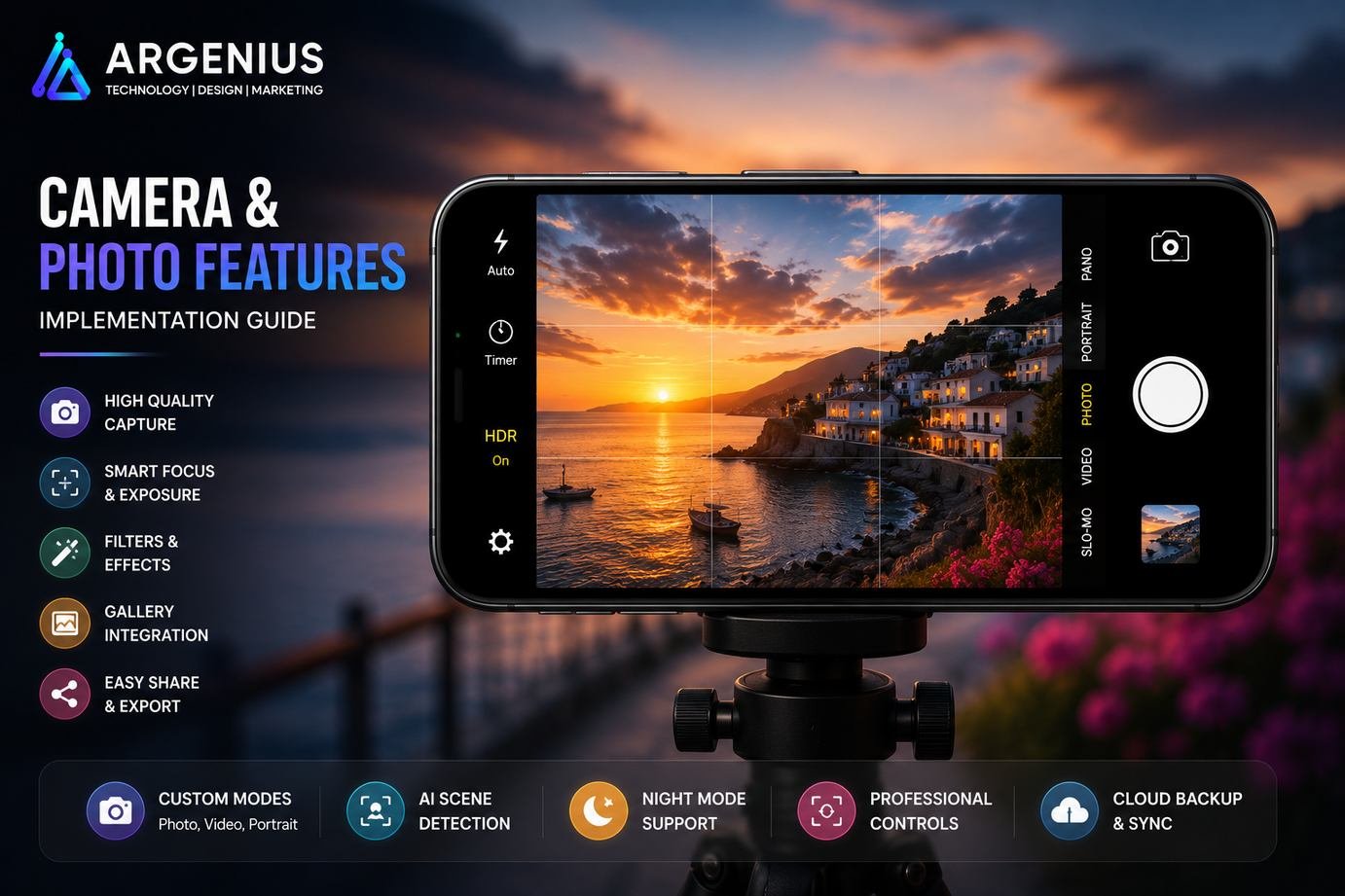
Camera and photo features enable users to capture, edit, upload, manage, and share images directly from a mobile application.
Instead of relying on external tools, these capabilities allow users to complete important tasks without leaving the app.
Typical camera features include:
- Image Capture
- Gallery Selection
- Profile Photo Upload
- Document Scanning
- QR Code Scanning
- Barcode Scanning
- Image Cropping
- Filters
- Photo Editing
- Image Sharing
These features improve usability while creating a more engaging user experience.
Why Camera Features Matter
Images communicate information faster than text. Whether someone is uploading identity documents, scanning a QR code, or sharing product photos, camera functionality makes the interaction quicker and more intuitive.
Major benefits include:
- Faster User Onboarding
- Better Customer Engagement
- Improved Verification Process
- Enhanced Shopping Experience
- Easy Content Creation
- Better User Retention
- Personalized Profiles
- Paperless Documentation
- Higher Productivity
- Rich User Experience
Applications with well-designed camera features often see higher engagement and increased customer satisfaction.
Common Camera Use Cases
Different industries use camera functionality in different ways.
Social Media Applications
Popular features include:
- Selfie Capture
- Story Upload
- Profile Pictures
- Photo Filters
- Image Sharing
- Live Camera Effects
eCommerce Applications
Camera features commonly support:
- Product Image Upload
- Visual Search
- Barcode Scanning
- QR Payments
- Customer Reviews
- Product Verification
Healthcare Applications
Medical platforms often use:
- Prescription Upload
- Medical Report Scanning
- Telemedicine Image Sharing
- Patient Documentation
- Health Monitoring Photos
Banking & Finance
Financial apps frequently include:
- KYC Verification
- ID Card Capture
- Cheque Scanning
- Receipt Upload
- Document Verification
Education Platforms
Educational applications use cameras for:
- Assignment Submission
- Note Scanning
- Student Verification
- Whiteboard Capture
- Project Uploads
How Camera Features Work
Although capturing a photo takes only a second, several processes happen behind the scenes.
A typical workflow includes:
- User grants camera permission.
- Camera preview opens.
- User captures an image.
- Image is processed.
- Compression is applied.
- Preview screen appears.
- User edits or crops the image.
- Image uploads to cloud storage.
- File URL is saved in the database.
- Image becomes available across devices.
This workflow ensures efficient storage, faster uploads, and a smooth user experience.
Business Models That Use Camera Features
Camera functionality is valuable across many industries.
Popular examples include:
- Social Media Apps
- eCommerce Platforms
- Food Delivery Apps
- Healthcare Applications
- Banking Apps
- Insurance Platforms
- Travel Apps
- Real Estate Platforms
- Education Apps
- CRM Systems
- Logistics Applications
- Enterprise Solutions
Essential User Features
Modern camera-enabled applications should include:
- Photo Capture
- Gallery Upload
- Image Preview
- Crop & Rotate
- Flash Control
- Front & Rear Camera Support
- Zoom Controls
- Image Compression
- Multi-Image Upload
- Photo Sharing
- Offline Capture
- Cloud Synchronization
Admin Features
Administrators need efficient tools for managing uploaded images.
Essential features include:
- Image Management Dashboard
- User Upload Monitoring
- Storage Analytics
- Content Moderation
- Image Approval
- AI Image Detection
- Duplicate Image Detection
- Backup Management
- Activity Logs
- Security Reports
Recommended Technology Stack
Mobile Development
- Flutter
- React Native
- Kotlin
- Swift
Camera Libraries
- CameraX (Android)
- AVFoundation (iOS)
- Flutter Camera Plugin
- React Native Vision Camera
Backend
- Laravel
- Node.js
- Django
- Spring Boot
Cloud Storage
- Firebase Storage
- AWS S3
- Azure Blob Storage
Image Processing
- OpenCV
- Google ML Kit
- TensorFlow Lite
- Cloudinary
Database
CDN
- CloudFront
- Cloudflare
- Azure CDN
A carefully selected technology stack ensures reliable camera performance, fast uploads, optimized image delivery, and seamless scalability.
Camera Feature Architecture
A reliable camera system is built on more than just opening the device camera. It combines hardware, operating system APIs, cloud storage, backend services, and image processing to deliver a fast and secure experience.
A modern camera architecture typically includes:
- Mobile Application
- Camera API
- Permission Manager
- Image Processing Engine
- Compression Module
- Backend API
- Cloud Storage
- Database
- CDN
- Analytics & Monitoring
This layered architecture ensures photos are captured, processed, uploaded, and displayed efficiently across different devices.
Camera Implementation Process
Implementing camera functionality requires careful planning to ensure compatibility, performance, and security.
A typical implementation process includes:
1. Request Camera Permissions
Before accessing the camera, users must grant permission.
Permissions commonly include:
- Camera Access
- Gallery Access
- Storage Access (where required)
- Microphone Access (for video recording)
Always explain why these permissions are needed to improve user trust.
2. Open Camera Preview
Once permission is granted, initialize the camera and display a real-time preview.
The preview should support:
- Front Camera
- Rear Camera
- Flash Modes
- Zoom Controls
- Auto Focus
- Grid Overlay
3. Capture & Validate Image
After the user captures a photo:
- Validate Image Quality
- Check Resolution
- Verify File Size
- Detect Orientation
- Correct Rotation
- Save Temporary Copy
Validating images before upload reduces unnecessary bandwidth usage and storage costs.
4. Process & Optimize
Image processing prepares the photo for upload.
Typical operations include:
- Compression
- Cropping
- Resizing
- Format Conversion
- Thumbnail Generation
- Metadata Processing
These optimizations improve application performance while maintaining image quality.
5. Upload to Cloud Storage
After processing, upload the image securely to cloud storage.
The backend should:
- Authenticate User
- Generate Secure Upload Request
- Store Image
- Return File URL
- Save URL in Database
- Log Upload Activity
Image Upload Workflow
A complete image upload process generally follows these steps:
- User captures a photo.
- Application validates the image.
- Image is compressed.
- Authentication is verified.
- Backend requests upload permission.
- Image uploads to cloud storage.
- Cloud returns the image URL.
- URL is stored in the database.
- Image appears in the user's profile or gallery.
This workflow keeps the application responsive while ensuring secure file management.
Photo Editing Features
Users often want to adjust images before uploading them.
Popular editing features include:
- Crop
- Rotate
- Flip
- Brightness Adjustment
- Contrast Control
- Saturation
- Filters
- Blur Background
- Sticker Support
- Text Overlay
Providing basic editing tools improves user experience without requiring third-party applications.
AI Image Recognition
Artificial Intelligence is making camera features smarter and more useful.
AI-powered capabilities include:
- Face Detection
- Object Recognition
- Text Extraction (OCR)
- Image Classification
- Background Removal
- Automatic Cropping
- Scene Detection
- Duplicate Detection
- Identity Verification
- Content Moderation
These features reduce manual effort while improving automation and accuracy.
QR Code & Barcode Scanning
Many businesses use the camera for scanning instead of photography.
Common applications include:
- Digital Payments
- Event Ticket Verification
- Product Information
- Inventory Management
- Package Tracking
- Restaurant Menus
- Customer Loyalty Programs
- Warehouse Operations
Fast and accurate scanning improves operational efficiency and user convenience.
Image Compression & Optimization
High-resolution images can slow uploads and consume unnecessary storage.
Optimization techniques include:
- Automatic Compression
- Progressive Image Loading
- Thumbnail Generation
- WebP Conversion
- Lazy Loading
- Responsive Image Sizes
- Metadata Removal
- CDN Optimization
- Image Caching
- Lossless Compression (when required)
Optimized images improve loading speed without noticeably affecting quality.
Development Cost (₹ INR)
The cost of implementing camera features depends on functionality, AI capabilities, cloud storage, and backend complexity.
| Solution Type |
Estimated Cost |
| Basic Camera Integration |
₹1,50,000 – ₹4,00,000 |
| Camera with Image Upload & Editing |
₹4,00,000 – ₹8,00,000 |
| AI-Powered Camera Solution |
₹8,00,000 – ₹18,00,000 |
| Enterprise Camera Platform |
₹18,00,000+ (Custom Pricing) |
Factors Affecting Cost
Development costs depend on:
- Android & iOS Support
- Camera Features
- AI Integration
- QR/Barcode Scanning
- Image Editing Tools
- Cloud Storage
- Security Requirements
- Offline Support
- Backend APIs
- Long-Term Maintenance
Security Best Practices
Camera features often handle sensitive personal information, making security a critical consideration.
Recommended practices include:
- Request Permissions Only When Needed
- Encrypt Uploaded Images
- Secure Cloud Storage
- HTTPS Communication
- Signed Upload URLs
- Role-Based Access Control
- Automatic Malware Scanning
- Secure Image Deletion
- User Consent Management
- Activity Logging
Strong security measures protect both users and business data.
Common Challenges
Developers frequently face technical challenges while implementing camera features.
Some of the most common include:
- Device Compatibility Issues
- Camera Permission Denied
- Low-Light Image Quality
- Large Image Sizes
- Slow Upload Speeds
- Memory Management
- Orientation Problems
- Background Upload Failures
- Storage Limitations
- Different Camera Hardware Capabilities
Comprehensive testing across multiple devices helps identify and resolve these issues before release.
CameraX vs AVFoundation vs Flutter Camera
| Feature |
CameraX |
AVFoundation |
Flutter Camera |
| Platform |
Android |
iOS |
Cross-Platform |
| Ease of Integration |
Excellent |
Advanced |
Excellent |
| Performance |
High |
High |
Good |
| Manual Camera Controls |
Extensive |
Extensive |
Moderate |
| Image Capture |
Excellent |
Excellent |
Excellent |
| Video Recording |
Yes |
Yes |
Yes |
| Best For |
Native Android Apps |
Native iOS Apps |
Flutter Applications |
For native Android development, CameraX provides excellent flexibility. AVFoundation is the preferred framework for iOS, while Flutter Camera offers a fast and efficient cross-platform solution.
Benefits of Camera & Photo Features
Adding camera functionality provides significant advantages for businesses and users.
Key benefits include:
- Faster User Verification
- Better Customer Engagement
- Rich User-Generated Content
- Improved Shopping Experience
- Easy Document Upload
- Increased Productivity
- Personalized User Profiles
- Paperless Workflows
- Better Customer Support
- Higher User Retention
Camera features enhance usability while supporting a wide range of business processes.
Future Trends
Camera technology continues to evolve with artificial intelligence and advanced mobile hardware.
Emerging trends include:
- AI-Powered Smart Cameras
- Real-Time Object Detection
- Augmented Reality (AR)
- 3D Image Capture
- AI Image Enhancement
- Visual Search
- Automatic Background Removal
- Face Authentication
- Gesture Recognition
- Edge AI Processing
Businesses adopting these technologies can deliver more interactive and intelligent mobile experiences.
Why Businesses Choose Argenius
At Argenius, we build feature-rich camera solutions that combine intuitive user experiences with secure and scalable backend systems.
Our expertise includes:
- Camera Integration
- Image Upload & Management
- AI Image Recognition
- QR & Barcode Scanner Development
- Cloud Storage Integration
- Flutter & React Native Development
- Laravel & Node.js Backend Development
- Image Processing & Optimization
- Secure API Development
- Long-Term Maintenance & Support
Whether you're developing an eCommerce application, banking platform, healthcare solution, logistics system, or social networking app, Argenius delivers camera features that are fast, reliable, and built to scale.
Final Thoughts
Camera functionality has evolved far beyond simply taking pictures. Today, it powers identity verification, document scanning, product uploads, QR payments, visual search, AI recognition, and countless other business workflows. A well-designed implementation improves user experience, reduces manual effort, and helps businesses streamline everyday operations.
Building a successful camera system requires careful attention to image quality, performance, cloud storage, security, and compatibility across a wide range of devices. By combining efficient image processing, intelligent optimization, and scalable cloud infrastructure, businesses can deliver fast and reliable camera experiences that users trust.
If you're planning to build a mobile application with advanced camera and photo features, Argenius can help you design and develop a secure, scalable, and future-ready solution tailored to your business requirements.
Frequently Asked Questions
Why should mobile apps include camera features?
Camera functionality allows users to capture photos, scan documents, upload images, verify identities, scan QR codes, and create content without leaving the application, making the overall experience faster and more convenient.
Which technologies are commonly used for camera integration?
Popular technologies include CameraX for Android, AVFoundation for iOS, Flutter Camera for cross-platform development, and cloud services such as Firebase Storage, AWS S3, and Azure Blob Storage for image storage.
How much does camera feature development cost?
Basic camera integration generally costs ₹1.5 lakh–₹4 lakh, while AI-powered camera systems with advanced image processing, recognition, and cloud integration can exceed ₹18 lakh, depending on the project's complexity.
How can image uploads be made faster?
Compressing images, generating thumbnails, using modern formats like WebP, uploading directly to cloud storage, and delivering content through a CDN significantly improve upload and loading performance.
Are camera features secure?
Yes. When implemented correctly using encrypted communication, secure cloud storage, signed upload URLs, access controls, and proper permission handling, camera features can safely manage sensitive user data.
Can Argenius build custom camera solutions?
Yes. Argenius develops custom camera-enabled mobile applications with features such as image capture, document scanning, QR and barcode scanning, AI-powered image recognition, cloud storage integration, and secure backend systems.