Today's users expect instant access to apps without filling out lengthy registration forms. Social media login makes authentication faster, improves user experience, and increases sign-up conversions. This guide explains how Facebook, Instagram, and Twitter login integration works, along with authentication methods, APIs, security, and implementation best practices.
Think about the last app you installed on your phone. Did you create a brand-new account with your email and a strong password? Probably not. Like most people, you likely tapped "Continue with Facebook", "Continue with Google", or another social login option and were inside the app within seconds.
That's exactly what today's users expect.
People don't want to remember another password or spend several minutes filling out registration forms. Every extra step during sign-up increases the chances that they'll leave your app before becoming a customer. A fast and familiar login experience removes that friction and encourages more users to complete registration.
This is why social media integration has become a standard feature in modern mobile applications. Whether you're building an eCommerce platform, food delivery app, fitness app, social networking platform, education portal, healthcare solution, or business application, offering social login improves the overall user experience while helping businesses increase registrations and user retention.
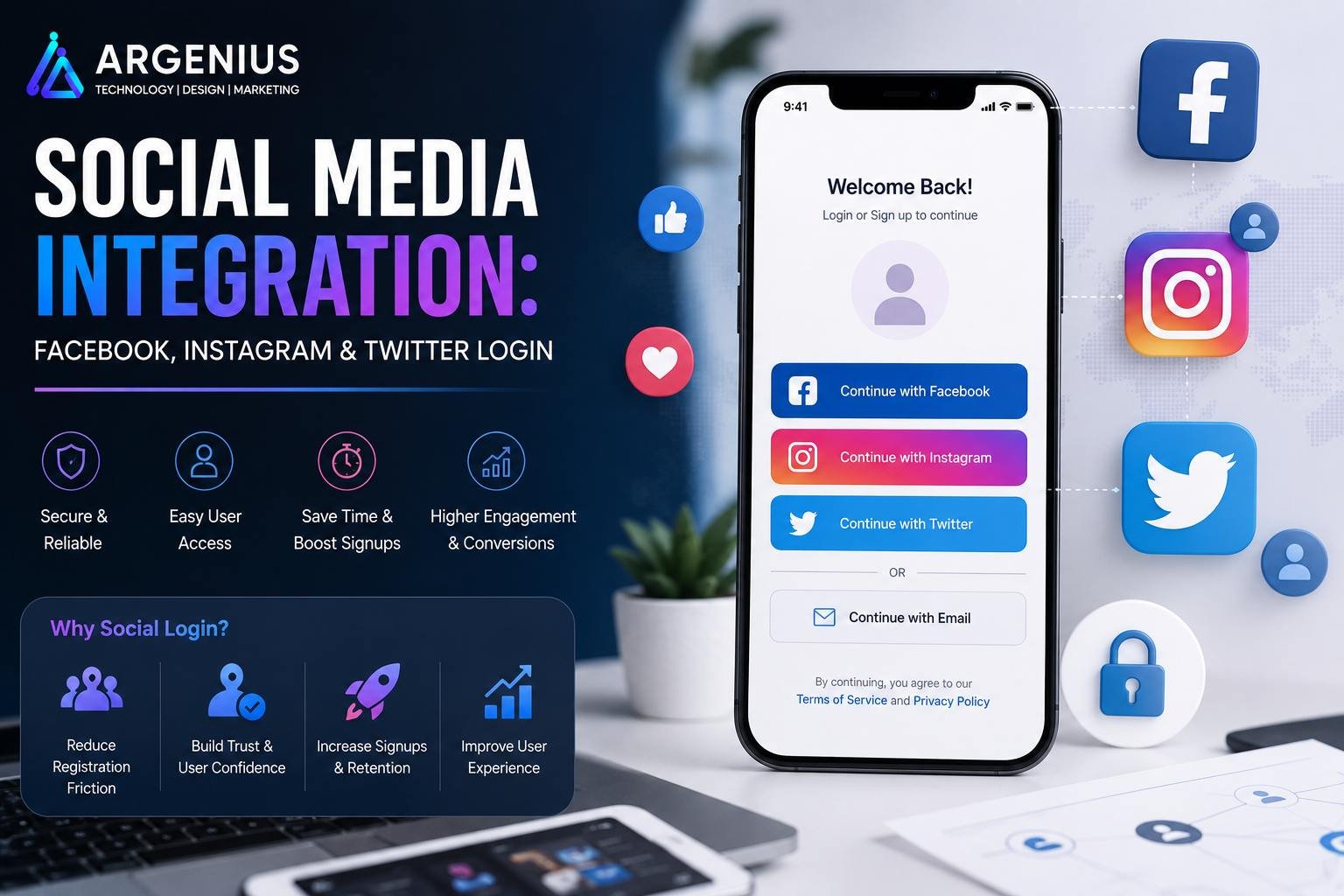
Behind this simple "Continue with Facebook" button is a secure authentication system powered by OAuth protocols and official APIs. Instead of sharing passwords with your application, users authenticate directly with the social platform, making the process both convenient and secure.
However, successful integration isn't just about adding login buttons. Developers need to handle user permissions, authentication tokens, API security, account linking, privacy regulations, session management, and error handling to deliver a reliable experience.
In this guide, we'll explore everything you need to know about Social Media Integration in Mobile Apps, including Facebook Login, Instagram authentication, Twitter login, OAuth workflows, security best practices, implementation methods, technology stacks, and common development challenges.
At Argenius, we develop secure and scalable authentication systems that make signing in effortless while protecting user data and ensuring compliance with modern security standards.
What is Social Media Integration?
Social media integration allows users to sign in to an application using their existing social media accounts instead of creating a separate username and password.
When a user chooses a social login option, the authentication is handled by the social platform itself. Once the user's identity is verified, the platform securely shares only the information that the user has approved, such as their name, email address, or profile picture.
This approach offers a faster, safer, and more convenient registration process.
Social media integration commonly supports:
- User Authentication
- Account Registration
- Profile Import
- Single Sign-On (SSO)
- Social Sharing
- Content Publishing
- Friend Discovery
- Business Account Integration
- Marketing Analytics
- Community Engagement
Why Social Login Matters
A complicated sign-up process is one of the biggest reasons users abandon mobile apps. Every additional form field creates friction that can reduce conversion rates.
Social login helps solve this problem by making account creation almost effortless.
Some of the biggest advantages include:
- Faster Registration
- Better User Experience
- Higher Sign-Up Conversion
- Fewer Forgotten Passwords
- Reduced Login Abandonment
- Trusted Authentication
- Personalized User Profiles
- Improved Customer Retention
- Simplified Account Management
- Better Customer Insights
For businesses, this often translates into more registered users and improved long-term engagement.
Popular Social Platforms for Mobile Apps
Different social platforms serve different business needs. Choosing the right integration depends on your audience, region, and application type.
Facebook Login
Facebook Login remains one of the most widely used authentication systems for mobile applications.
It allows users to:
- Sign In Quickly
- Share Basic Profile Information
- Retrieve Profile Photos
- Access Verified Email Addresses
- Connect Existing Accounts
Facebook Login is commonly used by eCommerce apps, gaming platforms, travel apps, and community-based applications.
Instagram Integration
Instagram authentication is particularly useful for creator-focused platforms and businesses that rely on visual content.
Common use cases include:
- Creator Dashboards
- Business Profile Management
- Content Analytics
- Social Media Scheduling
- Marketing Platforms
- Influencer Applications
Unlike Facebook Login, Instagram authentication is generally used for business features rather than general consumer sign-in.
Twitter (X) Login
Twitter (now known as X) login is popular among news platforms, technology communities, and social networking applications.
Typical features include:
- User Authentication
- Profile Import
- Social Sharing
- Community Participation
- Content Publishing
Twitter integration is especially valuable for applications that encourage public discussions and content sharing.
How Social Login Works
Although the login process appears simple to users, several secure authentication steps take place in the background.
A typical authentication flow looks like this:
- The user taps Continue with Facebook, Instagram, or Twitter.
- The application redirects the user to the selected platform.
- The user grants the requested permissions.
- The social platform verifies the user's identity.
- A secure authentication token is returned.
- Your backend validates the token.
- A new account is created—or an existing one is linked.
- The user is signed in and redirected to the application.
This process ensures that your application never handles or stores the user's social media password.
Business Models That Benefit from Social Login
Almost every modern application can improve onboarding with social authentication.
Industries that commonly use it include:
- eCommerce Apps
- Food Delivery Apps
- Fitness Applications
- Healthcare Platforms
- Education Apps
- Social Networking Apps
- Travel & Booking Apps
- Dating Apps
- OTT Streaming Platforms
- News Applications
- Event Booking Platforms
- SaaS Products
Essential User Features
A well-designed social authentication system should provide a seamless experience without overwhelming users.
Recommended features include:
- One-Tap Login
- Multiple Social Login Options
- Automatic Account Creation
- Profile Synchronization
- Secure Logout
- Account Linking
- Password-Free Login
- Session Management
- Multi-Device Support
- Easy Account Recovery
Admin Features
Administrators need visibility into authentication activities and user accounts.
Key admin features include:
- User Management Dashboard
- Login Activity Reports
- Authentication Logs
- Social Account Linking
- Account Verification
- Failed Login Monitoring
- User Analytics
- Access Control
- API Monitoring
- Security Reports
Recommended Technology Stack
Mobile Development
- Flutter
- React Native
- Kotlin
- Swift
Backend
- Laravel
- Node.js
- Django
- Spring Boot
Authentication
- OAuth 2.0
- OpenID Connect (OIDC)
- JWT (JSON Web Tokens)
Social APIs
- Facebook Login SDK
- Instagram Graph API
- Twitter (X) API
Database
Cloud Services
- AWS
- Google Cloud
- Microsoft Azure
A modern authentication stack ensures secure logins, smooth account management, and a consistent user experience across Android, iOS, and web platforms.
Social Media Integration Process
Adding social login to a mobile application isn't just about placing a "Continue with Facebook" button on the login screen. A secure authentication system requires proper API integration, backend validation, token management, account linking, and privacy compliance.
A typical implementation follows these steps.
1. Define Authentication Requirements
Before writing any code, identify how users will access your application.
Questions to consider include:
- Which social platforms should be supported?
- Is email login also required?
- Should users be able to link multiple accounts?
- Will guest login be available?
- What user information is actually needed?
Planning these requirements early helps avoid unnecessary development work later.
2. Register Developer Applications
Each social platform requires you to create a developer application before using its authentication APIs.
This setup usually includes:
- Creating a Developer Account
- Registering the Mobile App
- Configuring Redirect URLs
- Generating Client ID
- Generating Client Secret
- Setting Required Permissions
- Configuring OAuth Settings
3. Build the Authentication Flow
The mobile app communicates with the selected social platform to authenticate the user.
The complete flow includes:
- User selects a login provider.
- Social login screen opens.
- User grants permission.
- OAuth token is generated.
- Backend validates the token.
- User account is created or linked.
- Session begins securely.
This process keeps passwords on the social platform instead of your application.
4. Backend Validation
Never trust authentication responses received directly from the mobile application.
The backend should:
- Verify Access Tokens
- Validate User Identity
- Create New Accounts
- Link Existing Accounts
- Generate Secure JWT Tokens
- Store Only Required User Data
- Record Login Activity
5. Testing & Deployment
Before launch, test authentication across different devices, operating systems, and network conditions.
Testing includes:
- Successful Login
- Login Failure
- Cancelled Authentication
- Account Linking
- Session Expiration
- Token Refresh
- Logout
- Multi-Device Login
Understanding OAuth Authentication
OAuth 2.0 is the industry standard for secure social authentication.
Instead of asking users to share their social media passwords with your app, OAuth allows them to authenticate directly with Facebook, Instagram, or Twitter. Your application only receives a secure access token after the user grants permission.
This approach offers several advantages:
- Passwords remain protected.
- User permissions are transparent.
- Access can be revoked at any time.
- Authentication is standardized.
- Security risks are significantly reduced.
For modern mobile applications, OAuth is the recommended authentication method.
Facebook Login Integration
Facebook Login is one of the most widely adopted authentication solutions for mobile applications.
A typical integration process includes:
- Create a Meta Developer account.
- Register your application.
- Enable Facebook Login.
- Configure Android and iOS settings.
- Install the Facebook SDK.
- Request user authentication.
- Receive the access token.
- Validate the token on the backend.
- Create or update the user profile.
- Start the authenticated session.
Facebook Login is especially useful for eCommerce, gaming, travel, and community-driven applications.
Instagram Integration
Instagram authentication is primarily designed for creator tools and business platforms.
Common integration steps include:
- Connect Instagram Business Account
- Configure Meta Developer Platform
- Generate OAuth Credentials
- Authenticate Users
- Request Required Permissions
- Retrieve Business Profile Information
- Store Authorized Access
- Refresh Access Tokens
Instagram integration works well for influencer platforms, marketing dashboards, analytics tools, and content management systems.
Twitter (X) Login Integration
Twitter (X) authentication is commonly used in social networking, media, and technology-focused applications.
The process typically includes:
- Create an X Developer Account
- Register the Application
- Generate API Credentials
- Configure OAuth Authentication
- Authenticate the User
- Validate Access Tokens
- Retrieve Basic Profile Data
- Create or Link User Account
This integration is suitable for apps that encourage content sharing, discussions, and community participation.
Account Linking Strategy
Many users register with different methods over time. Someone may sign up with email initially and later choose Facebook or Twitter login.
Instead of creating duplicate accounts, a smart authentication system links identities under a single user profile.
Benefits include:
- Better User Experience
- Single Customer Profile
- Easier Account Recovery
- Improved Security
- Consistent User History
- Reduced Duplicate Accounts
Account linking helps maintain clean user data and simplifies account management.
Development Cost (₹ INR)
The overall cost depends on the number of login providers, backend complexity, security requirements, and custom authentication workflows.
| Integration Type |
Estimated Cost |
| Basic Social Login Integration |
₹50,000 – ₹1,20,000 |
| Multi-Platform Social Authentication |
₹1,20,000 – ₹3,00,000 |
| Advanced Authentication System (SSO, Account Linking, MFA) |
₹3,00,000 – ₹7,00,000 |
| Enterprise Authentication Platform |
₹7,00,000+ (Custom Pricing) |
Factors Affecting Cost
Development costs vary based on:
- Number of Social Platforms
- Android & iOS Support
- Backend Development
- JWT Authentication
- Account Linking
- Multi-Factor Authentication
- User Management Dashboard
- Analytics & Reporting
- Cloud Infrastructure
- Long-Term Maintenance
Security Best Practices
Authentication is one of the most sensitive parts of any application.
Recommended practices include:
- OAuth 2.0 Authentication
- HTTPS for All Requests
- Secure JWT Storage
- Token Expiration
- Refresh Tokens
- Role-Based Access Control
- Multi-Factor Authentication (MFA)
- Secure API Validation
- Rate Limiting
- Login Activity Monitoring
Following these practices helps protect user accounts and reduce security risks.
Privacy & Compliance
User privacy should always be a priority when integrating social platforms.
Key recommendations include:
- Request Only Necessary Permissions
- Clearly Explain Data Usage
- Allow Users to Disconnect Accounts
- Follow GDPR Requirements
- Follow Platform Policies
- Secure Personal Information
- Respect User Consent
- Regularly Review API Permissions
Transparency builds trust and supports long-term compliance.
Common Challenges
Developers often encounter practical challenges while implementing social login.
Some of the most common include:
- OAuth Configuration Errors
- Expired Access Tokens
- API Version Changes
- Permission Approval Delays
- Redirect URI Issues
- Account Duplication
- Token Synchronization
- Platform Policy Updates
- Network Interruptions
- Cross-Platform Compatibility
Planning for these scenarios during development helps create a smoother user experience.
Facebook vs Instagram vs Twitter (X)
| Feature |
Facebook |
Instagram |
Twitter (X) |
| User Login |
✅ Excellent |
Limited |
✅ Yes |
| Business Integration |
✅ Strong |
✅ Excellent |
Moderate |
| Profile Access |
✅ Yes |
Business Accounts |
✅ Yes |
| Content Sharing |
✅ Yes |
Limited |
✅ Excellent |
| Marketing APIs |
✅ Advanced |
✅ Advanced |
Moderate |
| Best For |
Consumer Apps |
Creator & Business Tools |
Community & News Apps |
The right platform depends on your target audience and business objectives. Many applications support multiple login providers to give users greater flexibility.
Benefits of Social Media Integration
Adding social authentication improves both user experience and business performance.
Major benefits include:
- Faster User Registration
- Higher Login Success Rate
- Better User Experience
- Increased Conversion Rates
- Reduced Password Recovery Requests
- Trusted Authentication
- Simplified Account Management
- Better Customer Retention
- Personalized User Profiles
- Improved Customer Insights
These advantages make social login a valuable feature for almost every modern mobile application.
Future Trends
Digital authentication continues to evolve with stronger security and improved user experiences.
Emerging trends include:
- Passwordless Authentication
- Biometric Login
- Decentralized Identity
- AI-Based Fraud Detection
- Single Sign-On (SSO)
- Multi-Factor Authentication
- Passkeys
- Privacy-First Authentication
- Blockchain Identity Solutions
- Adaptive Authentication
Businesses that adopt these technologies will provide safer and more convenient login experiences.
Why Businesses Choose Argenius
At Argenius, we build secure, scalable, and user-friendly authentication systems designed for startups, enterprises, SaaS products, marketplaces, and mobile applications.
Our expertise includes:
- Facebook Login Integration
- Instagram API Integration
- Twitter (X) Authentication
- Google Sign-In
- Apple Sign-In
- OAuth 2.0 Implementation
- JWT Authentication
- Single Sign-On (SSO)
- Flutter & React Native Integration
- Laravel & Node.js Backend Development
Whether you're launching a new mobile app or upgrading an existing platform, Argenius helps you implement secure authentication systems that improve user experience while protecting customer data.
Final Thoughts
A simple and secure login experience can significantly influence how users perceive your application. When registration is quick and effortless, users are more likely to complete sign-up, return to the app, and stay engaged over time.
Social media integration removes the friction of traditional account creation while maintaining high security through trusted authentication standards like OAuth. By combining multiple login options, proper backend validation, privacy compliance, and modern security practices, businesses can create an authentication system that is both convenient and reliable.
If you're planning to integrate Facebook, Instagram, Twitter (X), Google, or Apple login into your mobile application, Argenius can help you build a secure, scalable, and future-ready authentication solution tailored to your business needs.
Frequently Asked Questions
What is social media integration in mobile apps?
Social media integration allows users to sign in using existing accounts such as Facebook, Instagram, or Twitter (X) instead of creating a new username and password, making registration faster and more convenient.
Is OAuth more secure than traditional login?
Yes. OAuth authenticates users through the social platform without exposing their passwords to your application, making it one of the safest authentication methods available.
Which social login should I offer in my app?
It depends on your audience. Facebook remains a popular general-purpose login, Instagram is useful for creator and business platforms, while Twitter (X) works well for news, media, and community-driven applications. Many businesses also include Google and Apple Sign-In.
How much does social login integration cost?
Basic integration generally costs ₹50,000–₹1.2 lakh, while enterprise authentication systems with multiple providers, SSO, MFA, and account linking can exceed ₹7 lakh, depending on project complexity.
Can users link multiple social accounts to one profile?
Yes. A properly designed authentication system can link multiple providers to a single user account, preventing duplicate profiles and simplifying account management.
Is social login suitable for enterprise applications?
Absolutely. When combined with secure backend validation, role-based access control, and modern authentication standards, social login is suitable for both consumer and enterprise-grade applications.
Can Argenius integrate social login into existing apps?
Yes. Argenius provides complete authentication solutions, including Facebook Login, Instagram API integration, Twitter (X) Login, Google Sign-In, Apple Sign-In, OAuth implementation, JWT authentication, backend development, and ongoing support.