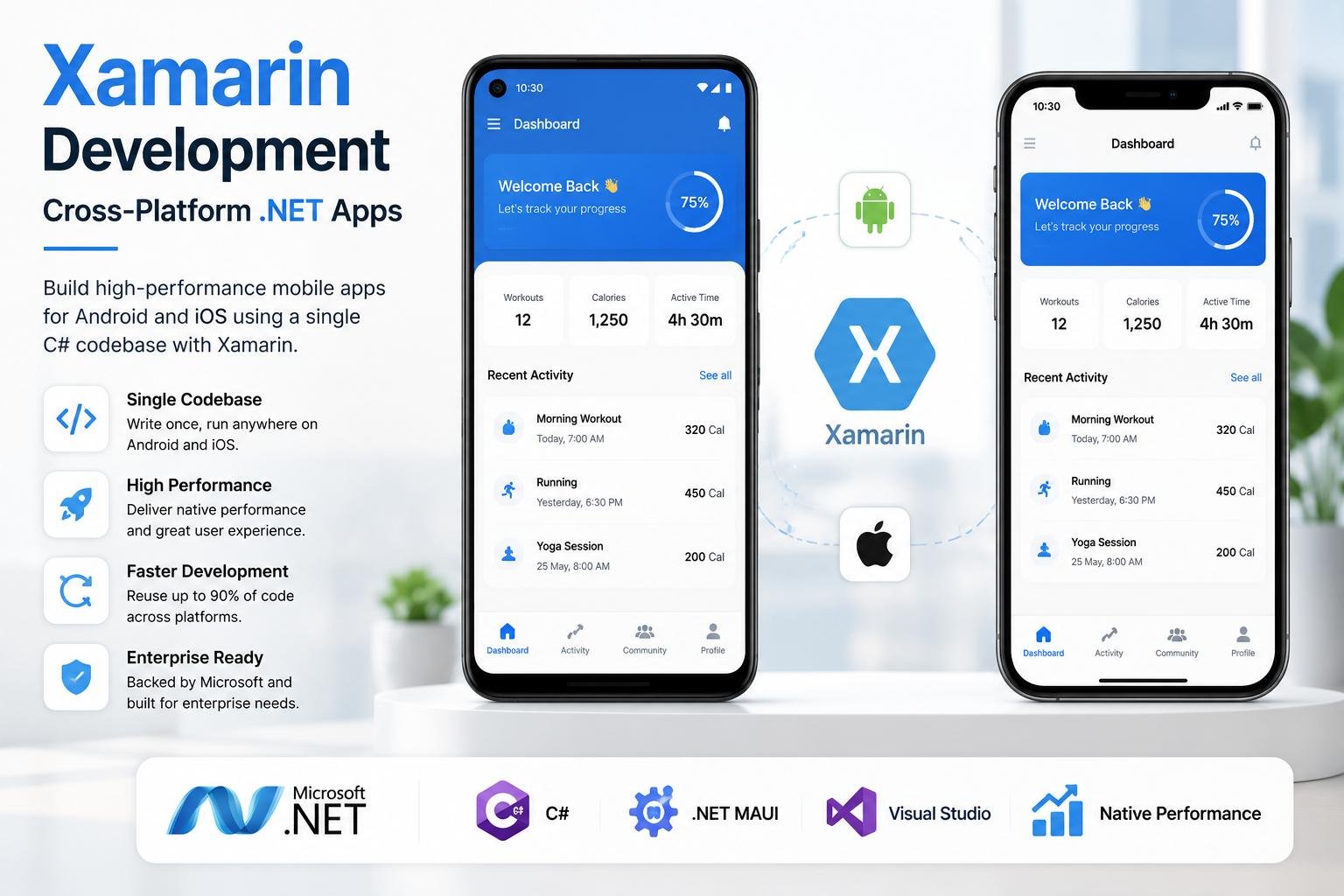
Xamarin enables developers to build Android and iOS applications using a shared C# codebase, reducing development time and costs while maintaining near-native performance. Discover whether Xamarin is still the right choice for modern cross-platform app development.
Introduction
Businesses today rarely build mobile applications for just one platform. Most companies want their apps to be available on both Android and iOS to reach a wider audience and maximize their return on investment. However, maintaining separate development teams for each platform often increases costs, extends project timelines, and makes long-term maintenance more complex.
This challenge led to the rise of cross-platform development frameworks, allowing developers to write a single codebase that works across multiple operating systems. Among these frameworks, Xamarin became one of the most trusted solutions for organizations already invested in Microsoft's .NET ecosystem.
Developed by Xamarin Inc. and later acquired by Microsoft, Xamarin enables developers to build native Android and iOS applications using C# and the .NET framework. By sharing a significant portion of the application's code across platforms, businesses can reduce development costs, accelerate time-to-market, and simplify future updates.
Although newer technologies such as .NET MAUI, Flutter, and React Native have gained popularity, Xamarin remains an important part of the evolution of cross-platform development. Many existing enterprise applications still rely on Xamarin, and understanding its capabilities helps businesses make informed technology decisions.
In this guide, we'll explore Xamarin Development in detail, including its architecture, features, benefits, limitations, use cases, performance, and how it compares with modern alternatives.
At Argenius, we help businesses choose the right mobile technology based on their goals, budget, scalability requirements, and long-term maintenance strategy.
What is Xamarin?
Xamarin is an open-source cross-platform application development framework that allows developers to build Android and iOS applications using a shared C# codebase.
Instead of maintaining separate applications for each platform, developers can reuse a large percentage of business logic, APIs, models, and backend integrations while creating native user experiences.
Xamarin is built on Microsoft's .NET platform, making it a natural choice for organizations already using Microsoft technologies.
With Xamarin, developers can create applications for:
- Android
- iOS
- Windows
- Wearable Devices
- Tablets
- Enterprise Mobility Solutions
Because Xamarin compiles into native applications, users receive a performance level that is much closer to native development than traditional hybrid frameworks.
Evolution of Xamarin
The journey of Xamarin reflects Microsoft's growing investment in cross-platform development.
2011 – Xamarin is Founded
Xamarin was introduced as a framework for building native mobile applications using C#.
2016 – Microsoft Acquires Xamarin
Microsoft acquired Xamarin and integrated it into Visual Studio, making it available to a much wider developer community.
Xamarin Forms
Microsoft introduced Xamarin Forms to allow developers to build shared user interfaces across Android and iOS using a single codebase.
This significantly reduced development time for business applications.
Transition to .NET MAUI
As cross-platform development evolved, Microsoft introduced .NET MAUI (Multi-platform App UI) as the successor to Xamarin Forms.
While Xamarin projects continue to exist, new projects are generally recommended to use .NET MAUI because it offers better performance, improved tooling, and long-term support.
Understanding this transition is important for businesses planning new mobile applications or upgrading existing Xamarin projects.
How Xamarin Works
Xamarin follows a shared code architecture where most application logic is written once and reused across platforms.
The framework communicates with native Android and iOS APIs, allowing applications to access device-specific features without sacrificing performance.
A typical Xamarin application includes:
- User Interface Layer
- Business Logic Layer
- Services Layer
- Repository Layer
- API Integration
- Local Database
- Platform-Specific Components
This architecture improves maintainability while reducing duplicate development work.
Key Features of Xamarin
Single C# Codebase
One of Xamarin's biggest advantages is the ability to write application logic once using C# and reuse it across Android and iOS.
This reduces development effort and simplifies long-term maintenance.
Native Performance
Unlike traditional web-based hybrid frameworks, Xamarin applications are compiled into native code.
This enables:
- Faster execution
- Smooth navigation
- Better responsiveness
- Improved user experience
Native API Access
Developers can directly access platform-specific features such as:
- Camera
- GPS
- Bluetooth
- Biometrics
- Push Notifications
- NFC
- Sensors
- Device Storage
This makes Xamarin suitable for applications requiring advanced hardware integration.
Visual Studio Integration
Xamarin integrates seamlessly with Microsoft Visual Studio.
Developers benefit from:
- Intelligent code completion
- Advanced debugging
- Performance profiling
- Automated testing
- Azure integration
- Git support
This improves developer productivity and simplifies enterprise application development.
Strong .NET Ecosystem
Businesses already using Microsoft technologies can easily integrate Xamarin applications with:
- ASP.NET Core
- Azure
- SQL Server
- Microsoft Entra ID
- Microsoft 365
- Power Platform
This creates a unified technology ecosystem for enterprise applications.
Why Businesses Choose Xamarin
Many organizations adopted Xamarin because it balanced development efficiency with near-native performance.
Some key business benefits include:
- Shared codebase across Android and iOS
- Reduced development costs
- Faster project delivery
- Easier maintenance
- Excellent Microsoft ecosystem integration
- High code reusability
- Strong enterprise security
- Reliable performance for business applications
For enterprises already invested in .NET technologies, Xamarin reduced the learning curve and enabled teams to leverage existing C# expertise while expanding into mobile development.
Xamarin vs Flutter
Both Xamarin and Flutter are popular cross-platform development frameworks, but they are built for different ecosystems and development approaches.
Flutter, developed by Google, uses the Dart programming language and focuses on creating visually rich applications with a single codebase. Xamarin, on the other hand, is based on Microsoft's .NET platform and uses C#, making it an ideal choice for businesses already working within the Microsoft ecosystem.
| Feature |
Xamarin |
Flutter |
| Language |
C# |
Dart |
| Developed By |
Microsoft |
Google |
| UI Framework |
Xamarin.Forms |
Flutter Widgets |
| Performance |
Near Native |
Excellent |
| Code Reusability |
High |
High |
| Community |
Good |
Very Large |
| Future Support |
Migrating to .NET MAUI |
Active Development |
| Best For |
Enterprise .NET Projects |
New Cross-Platform Apps |
Choose Xamarin When
- Your business already uses .NET technologies.
- Your development team has strong C# expertise.
- You need seamless Azure integration.
- You want to maintain existing Xamarin applications.
Choose Flutter When
- You're starting a completely new project.
- You need modern UI with custom animations.
- Faster development and a larger community are priorities.
- You want long-term support from Google's ecosystem.
Xamarin vs React Native
React Native and Xamarin both enable developers to build Android and iOS applications from a shared codebase, but they differ significantly in technology stack.
| Feature |
Xamarin |
React Native |
| Language |
C# |
JavaScript / TypeScript |
| Platform |
.NET |
React Ecosystem |
| Performance |
Near Native |
Near Native |
| Learning Curve |
Easy for .NET Developers |
Easy for Web Developers |
| UI Components |
Native Controls |
Native Components |
| Enterprise Support |
Excellent |
Very Good |
| Microsoft Integration |
Excellent |
Limited |
Organizations already using Microsoft technologies often prefer Xamarin, while companies with JavaScript expertise frequently choose React Native.
Xamarin vs .NET MAUI
Microsoft introduced .NET MAUI (Multi-platform App UI) as the successor to Xamarin.Forms.
Although Xamarin remains important for maintaining existing applications, Microsoft recommends .NET MAUI for new cross-platform projects.
| Feature |
Xamarin |
.NET MAUI |
| Status |
Legacy Platform |
Modern Framework |
| Performance |
Very Good |
Improved |
| Development Experience |
Good |
Better |
| Project Structure |
Separate Projects |
Single Project |
| Tooling |
Mature |
Modern |
| Future Updates |
Limited |
Long-Term Support |
| Microsoft Recommendation |
Existing Projects |
New Projects |
If you're building a new application today, .NET MAUI is generally the better long-term choice.
Performance
One of Xamarin's biggest strengths has always been its ability to deliver near-native performance.
Applications built with Xamarin compile into native applications and interact directly with platform APIs.
Performance benefits include:
- Fast application startup
- Smooth screen transitions
- Native UI rendering
- Efficient memory management
- Responsive user experience
- Reliable hardware communication
While Flutter often outperforms Xamarin in UI rendering, Xamarin continues to provide excellent performance for enterprise and business applications.
Security Features
Enterprise applications require strong security, and Xamarin provides access to the same security capabilities available in native Android and iOS development.
Key security features include:
Secure Authentication
Supports:
- OAuth
- OpenID Connect
- Multi-Factor Authentication
- Biometric Login
Encrypted Storage
Sensitive data can be stored securely using platform-specific encryption and secure storage APIs.
Network Security
Developers can implement:
- SSL Pinning
- HTTPS Communication
- JWT Authentication
- Secure API Communication
Enterprise Identity Integration
Xamarin integrates well with Microsoft Entra ID and Azure Active Directory, making it suitable for enterprise mobility solutions.
Best Use Cases for Xamarin
Xamarin is particularly effective for business applications that require shared logic across multiple platforms.
Common use cases include:
- Enterprise Applications
- CRM Systems
- ERP Solutions
- Employee Portals
- Banking Applications
- Healthcare Apps
- Insurance Applications
- Logistics Platforms
- Education Apps
- Field Service Applications
- Retail Solutions
- Internal Business Tools
Businesses with existing .NET infrastructure benefit the most from Xamarin development.
Industries Using Xamarin
Xamarin has been widely adopted across industries that rely heavily on Microsoft technologies.
These include:
- Banking & Finance
- Healthcare
- Insurance
- Manufacturing
- Logistics
- Government
- Education
- Retail
- Real Estate
- Enterprise Software
Its integration with Azure and Microsoft's enterprise ecosystem makes it particularly attractive for large organizations.
Advantages of Xamarin
Xamarin provides several technical and business advantages.
Some of the key benefits include:
- Single C# codebase
- High code reusability
- Native API access
- Near-native performance
- Excellent Visual Studio integration
- Strong Microsoft ecosystem support
- Easier maintenance
- Reduced development costs
- Azure integration
- Enterprise-grade security
- Mature development tools
- Reliable debugging capabilities
These advantages helped Xamarin become one of the leading enterprise mobile development frameworks.
Limitations of Xamarin
Although Xamarin has many strengths, businesses should also understand its limitations before choosing it for a new project.
Some common limitations include:
- Larger application size compared to some frameworks
- Smaller developer community than Flutter
- UI customization can require additional effort
- Slower adoption of new mobile features
- Xamarin.Forms has been replaced by .NET MAUI
- Limited long-term investment compared to newer frameworks
For most new projects, Microsoft recommends evaluating .NET MAUI instead of Xamarin.Forms.
Common Mistakes Businesses Make
Many organizations make technology decisions without evaluating long-term maintenance requirements.
Common mistakes include:
- Starting new projects with outdated technologies
- Ignoring Microsoft's migration roadmap
- Choosing frameworks based only on familiarity
- Underestimating maintenance costs
- Not planning for future scalability
- Skipping architecture planning
- Poor API integration strategy
- Inadequate testing before deployment
A proper technology assessment before development helps avoid costly migrations later.
Future of Xamarin
Xamarin played a significant role in the evolution of cross-platform mobile development, but the ecosystem has now shifted toward .NET MAUI.
While existing Xamarin applications continue to be maintained, Microsoft's primary focus is on enhancing .NET MAUI with better performance, simplified project structures, and long-term support.
Businesses maintaining Xamarin applications should consider planning a gradual migration strategy to .NET MAUI to ensure compatibility with future platform updates.
Understanding this transition allows organizations to protect their existing investments while preparing for future growth.
Why Businesses Choose Argenius
Selecting the right framework is about more than following technology trends—it's about choosing a solution that aligns with your business goals, budget, and long-term roadmap.
At Argenius, we help businesses evaluate whether Xamarin, .NET MAUI, Flutter, React Native, or Native development is the right fit for their project.
Our team provides complete mobile app development services, including business consulting, UI/UX design, architecture planning, backend integration, API development, cloud deployment, testing, security implementation, app store publishing, and ongoing maintenance.
Whether you're modernizing an existing Xamarin application or planning a new cross-platform solution, we focus on building scalable, secure, and high-performance applications that deliver long-term value.
Final Thoughts
Xamarin has been one of the most influential frameworks in the history of cross-platform mobile development. By enabling developers to build Android and iOS applications using C# and the .NET ecosystem, it helped businesses reduce development costs while maintaining near-native performance.
Although Microsoft now recommends .NET MAUI for new projects, Xamarin remains highly relevant for organizations maintaining existing enterprise applications and planning gradual modernization.
If your organization already relies on Microsoft technologies, understanding Xamarin and its migration path to .NET MAUI is essential for making informed development decisions.
Working with an experienced development partner ensures that your technology investments remain scalable, secure, and aligned with future business growth.
Frequently Asked Questions
Is Xamarin still used in 2026?
Yes. Many enterprise applications still use Xamarin. However, Microsoft recommends .NET MAUI for new projects because it offers better long-term support and improved development capabilities.
Is Xamarin free?
Yes. Xamarin is open source and is available as part of the .NET ecosystem through Microsoft.
Which programming language does Xamarin use?
Xamarin primarily uses C# along with the .NET framework.
Is Xamarin better than Flutter?
It depends on your requirements. Xamarin is ideal for businesses already using Microsoft technologies, while Flutter is generally preferred for new cross-platform projects requiring modern UI and long-term ecosystem growth.
Can Xamarin build Android and iOS apps?
Yes. Xamarin allows developers to build native Android and iOS applications using a shared C# codebase.
What replaced Xamarin?
Microsoft introduced .NET MAUI (Multi-platform App UI) as the successor to Xamarin.Forms and recommends it for new application development.
Is Xamarin suitable for enterprise applications?
Yes. Xamarin remains a strong choice for enterprise applications because of its Azure integration, C# support, and compatibility with the Microsoft ecosystem.
Can Argenius help migrate Xamarin apps to .NET MAUI?
Yes. Argenius can assist with assessing existing Xamarin applications, planning the migration, upgrading to .NET MAUI, optimizing performance, and providing long-term maintenance.